About Vlinder Garden Dress Princess
Build a room around something you made
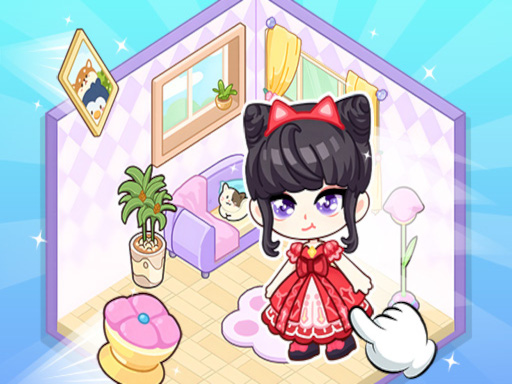
Vlinder Garden Dress Princess gives you a character to style, craft activities and rooms to furnish. A small project can start at the craft activity. Pick a piece you want people to notice, give it a place in the room and choose furnishings that leave it visible. The character’s outfit can then carry a color or detail from the setting.
Imagine making a room with a quiet reading corner. A small piece you craft can be the center of that corner, with a second object giving the area a purpose. A room arranged for a celebration might need the two pieces farther apart so the character has a clear place to stand. The same craft can lead to different rooms because you decide whether it is the main point of the scene or part of the background.
Give a craft piece a place in the scene
When a craft activity is available, look at the choices the game provides and choose a purpose for what you are making. You can use it as a visible focus in the room or let it connect two details you already chose. Try putting it somewhere you can see from beside the character. Stand back from the layout and check whether there is room to recognize its shape. If you want it to be a small detail, place a bigger feature with enough space around it so that the two can be seen together.
Consider a scene in which the avatar has a strong, simple color and the craft object is the most detailed thing in the room. Use the color once elsewhere and see whether that brings the person and the room together. If you want the outfit to be the detailed part, give it a place with a simpler background. The relationship is easier to see after you try one version before filling the rest of the room.
Make the rooms do different jobs
Try a room that helps you show an outfit and another one built around the object you made. Leave an open area in the first where the character can be seen clearly. In the second, choose an area for the craft piece and use the furniture or decorations to draw attention to it. Compare how much space you need to get the same person into each room. The thing you change about the setting can make the same outfit feel as if it belongs to a new scene.
When a room looks busy, find the object you want to notice first. Move another piece so that it does not hide the edge or the color you chose. Then try looking at the design from the other side of the layout. A piece you thought was unimportant can become an obvious way to connect the picture once you see it more clearly. Give every large object a reason to stay in the place you chose before adding several little details.
Prepare a scene for a creation challenge
The game includes multiplayer creation challenges. Before entering, build a clear connection between two parts of your design. Try taking an outfit accent into the decoration you made, or using a piece of furniture to frame the spot where your character will stand. A good starting idea can be expressed in a few choices and gives you space to experiment as you work.
Read the challenge instructions shown in the game before committing to the furnishing and outfit. If a prompt calls attention to the room, put the most legible craft detail in the room itself and use the character as a complement. If it calls for styling, check the character in front of the room you prepared and use the space around her to help the outfit read clearly. A lighter background can show off a dark accessory. A subdued outfit can give space to a detailed object.
Game credit on GameMonetize · bestgames.com











