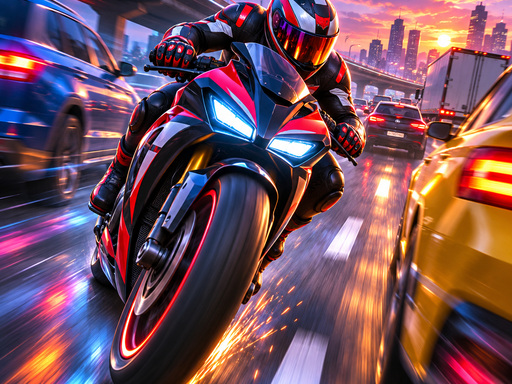
About Traffic Rider: Neon Rush
The bike in Traffic Rider: Neon Rush moves through a city highway full of trucks and cars. The view ahead is the challenge. A large truck can hide the next car, and the lane you plan to use after an overtake can close while you are still working on the first one. A fast ride comes from reading more than the nearest set of taillights.
Read three distances
Near is the space the bike needs right now. See whether you have room to steer without brushing the vehicle beside you. A small movement is easier to correct if a gap turns out to be narrower than it appeared. If you are already near the rear of a car, make room before adjusting into another lane. You need somewhere for the bike to go once you begin the movement.
Middle is the space where the pass will finish. Check it before you set up the overtake. You may have enough room to ride beside a truck but nowhere clear to return to the lane because a second vehicle is immediately in front of it. Looking farther up can change the moment you choose to start or lead you toward a lane with a better way through.
Far is the beginning of your decision to accelerate or brake. Give yourself time to see whether a clear lane extends beyond the next few vehicles. If you keep approaching each group at full speed until it fills the screen, part of the run goes into braking late and steering at the same time. A clear stretch farther ahead gives you a more useful place to build speed.
Hold the middle lane until the truck stops blocking the view
You are behind a large truck and can see a stretch of open middle lane to its left. Make a first move toward the middle while you still have space behind the truck. Keep the bike lined up there long enough to see past the front of the truck. That point changes the view: a car you could not see might now occupy the part of the lane where you expected to accelerate. If it is moving slowly, ease off while you are still aligned in the middle lane. Avoid immediately cutting back toward the truck, which may still be beside the rear of the bike.
Now decide whether the center lane continues beyond the newly visible car. When it does, hold it and accelerate after the bike is straight. When it ends at slower traffic, look to the next lane and see how much of it remains open before starting the second pass. That second move begins after your view improves, instead of being part of one long swerve around the truck. A clean truck pass can leave you with a poor route onward, so measure it by where you can ride once the truck no longer hides the highway.
Try the same approach when the road is busy and the middle lane is partly occupied. If you cannot see a place to finish the first pass, follow the truck from farther back until the middle opens. The motorcycle may need only a small steering change to enter the gap. Make that change where both vehicles are still visible, and use the next few seconds to read what their positions reveal beyond the truck.
Practice one response at a time
On your next ride, use the first few vehicles to practice small steering changes. Line up an overtake, hold a steady direction as you pass, then decide whether you need to return immediately or have clear room to stay where you are. On the ride after that, work on braking earlier when two vehicles leave you a narrowing gap. Compare where you saw the problem and where the bike actually began to slow.
If a crash keeps happening around a certain kind of traffic, remember whether you were passing a large vehicle or coming back into a crowded lane. Look for a way to regain a view around that situation before you enter it again. A longer view can turn the same setup into an easy pass.
Keyboard Tap A or ← for a leftward move, and D or → for the right. Add throttle with W or ↑. Use S or ↓ to slow the bike or back up. Release the steering key after the first movement and check the line before adding another input.
Game credit on GameMonetize · CozyFox











