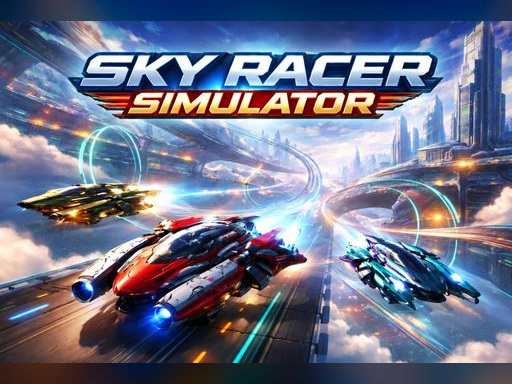
About Sky Racer Simulator
Look past the next rival to the tunnel it is approaching
Sky Racer Simulator has floating tracks with tunnels, loops and boost sections. Steer using the mouse and try to finish first across fifteen levels. The course can let you see an open section ahead, then reduce the view as you enter a tunnel or follow a loop. When approaching another racer, think about the space you need at the end of the pass. Getting beside the next vehicle is only useful if the route continues in a direction you can hold.
Spend the first part of a level seeing what the mouse steering does. Move a little toward the side of the track and watch how much the racer follows. Give the first movement time to take effect before trying to move farther. If you have chosen a line that lets you see the next part of the track, hold it long enough to notice how it reaches the bend. A series of small adjustments gives you a way to approach other racers without suddenly crossing the entire route.
Read Level 1 from its control strip
The browser player labels the first stage LEVEL 1. Its control strip shows HOLD & SWIPE for steering and a separate NITRO control. At a tunnel, aim toward the part of the entrance that leaves you room after the opening. Hold and swipe to make the turn in one direction, then let the car settle before choosing another adjustment. Look for the exit before you spend nitro. Using the separate nitro control makes the next part of the route faster; it does not remove the need to point at the way out.
Try Level 1 again using the same tunnel approach. On the first pass, use steering alone to see where the route leads. On the next, add nitro only once the exit has a useful line. If the car enters a loop or rises against a wall, watch how the route lands beyond it. The game describes tunnels and loops, and the player also shows that you can ride the walls. Use those features when they take you closer to the finish. If the car crashes, the player offers Retry. Return to the same stage and change only the entry position or the time you pressed the boost.
A loop makes the exit matter before the turn begins
Pick a part of the loop you can use as a visible reference. Look at where your racer is along that part while the view changes. Keep the next open section in mind rather than making a large correction just because the camera puts you at a new angle. If the race gives you a boost on approach, decide which line will take advantage of it while you can still see how the loop starts. It is easier to steer after the extra speed when you are already pointed somewhere useful.
Think about a pass that begins shortly before a complicated section. Do you have a way to complete it and return to a readable line on the other side? If the answer is uncertain, keep track of the racer and use a longer visible approach after the loop. The goal is first at the finish. Passing at a point you can carry forward sometimes gives you more of an advantage than briefly being ahead.
Use a replay to check which kind of steering needs work
If you keep losing a place in a tunnel, choose a new entrance line and see where the racer comes out. If the same loop takes you away from the direction you wanted, look at where the last adjustment began and try starting it sooner. If you reach the right position but another vehicle passes on the exit, notice whether you left enough room to keep your line once it moved close to you. Choose a single stretch to compare instead of treating every close race as a reason to steer harder everywhere.
Use the mouse to steer as the game shows. Check how the movement feels at the start of a new course and choose the next place you want the racer to reach. The floating tracks give you a view of the interesting parts while they are still ahead. Read the opening, decide what the racer will do after going through it, then let the motion reach it before choosing another direction.
Game credit on GameMonetize · breyman games











