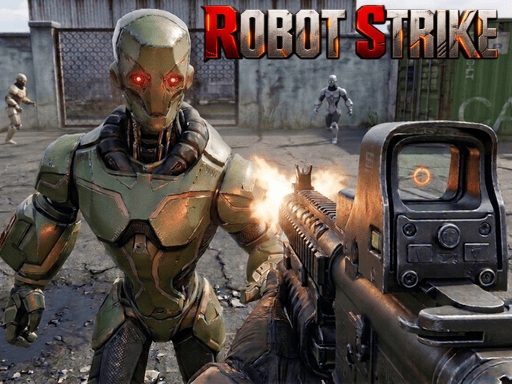
About Robot Strike: FPS Shooter
Learn what the robot looks like when you can aim at it clearly
Robot Strike: FPS Shooter puts you in a first-person view with robot enemies and a set of combat missions. Start by separating movement from the view. Use WASD to move and the mouse to look or aim. A clear first session is seeing where the view goes after your mouse movement and then moving the character without losing the target on the screen. Once that feels familiar, you can pay attention to how the enemies appear as a new mission begins.
Choose an early section where one robot is easy to see. Pick a position from which you can keep track of the robot and still recognize where you came in. Move the camera until you can see the next thing you want to work on. When you use the fire button, watch how the target moves in the game and whether you need another input. A quick click and a quick turn can happen so close together that it becomes difficult to see which one affected the result.
Find out where you want the camera after a jump
Space jumps. Try it while looking at a part of the scene with room to land. Notice how high the view moves and where you are facing afterward. This makes the jump more useful once there are several robots to watch. You can use a jump when it gives you a better place to continue or a useful change in the view. If the room ahead is hard to read, let the character land first and visually choose where the next movement needs to go.
Try another movement after a jump on a simple part of the level. Turn the mouse a small amount while you can see a fixed object in the room. That object gives you a quick reference for how much the view changed. If you end up looking past the robot you intended to follow, adjust the next mouse input from a calmer position. This way you are learning what the two controls do separately. The combination becomes easier to use when the next mission asks you to react without having to discover the whole movement at that point.
Check pointer focus before returning to the mission
In an opening mission, use a visible robot and the scenery behind it as your first aiming references. Pan the camera a short distance, then move with WASD and check how the robot shifts in the view. Press R when you have a chance to reload and wait for the game to show the weapon ready again. This separates the time spent reloading from the time spent locating the next robot. If a completion mark or new mission prompt appears, look at it before beginning another exchange.
Esc releases the mouse cursor in the desktop controls. Use the visible game interaction to resume and make a short aim movement while there is room to do so. Confirm that the camera follows before relying on it. In one case the camera moves but a shot did not line up. In the other you need to return input to the game first. Those give you different reasons to repeat the opening.
A mission can reveal which input you are still learning
When a new scene feels difficult, remember what happened immediately before the trouble. You might have lost sight of a robot while changing direction, fired before the camera reached it or moved before letting a different action finish. On a new attempt, visit the same part with a smaller change to test. If moving while aiming was the challenge, try taking one movement and checking the view before the next. If the room was hard to read, use a recognizable area as a point to return your attention to after a jump.
Left click fires and the mouse controls the view. Move with WASD, jump with Space, reload with R and use Esc when you need to release the cursor. Different missions make those actions useful at different times. The clearest way to learn is to watch how each one changes the scene before combining it with the next input.
Game credit on GameMonetize · Riteshdxy











