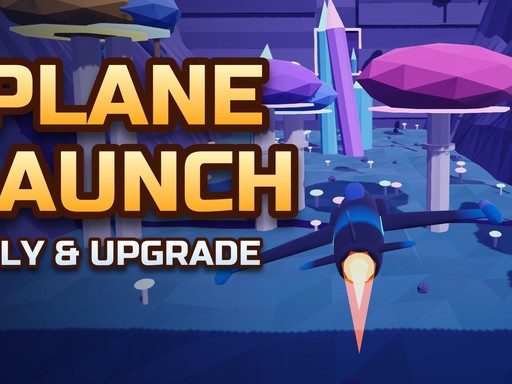
About Plane Launch: Fly & Upgrade
A paper glider on a giant slingshot is the first aircraft in Plane Launch: Fly & Upgrade. By the time you have better wings, a propeller or jet equipment, it can look like a different machine. The useful part is seeing what each part changes in flight. A better launch can give the same plane a different start, while a change in your route can put the same power to better use.
Spend the first second watching the needle
A flight begins before there is anything to steer. Roll the plane out and watch the launch indicator. Release when the needle reaches the green portion. Try a few starts at the same location so you can see the difference between a well-timed release and an early one. If the plane is losing the same stretch on each flight, compare the quality of the launches before you decide its engine or wings are the problem.
After release, look ahead rather than steering immediately toward the nearest coins. Some lines take you through a rock gate with a clear view afterward. Other lines make that gate harder to approach because you arrive from a sharp angle. Choose the opening while the plane still has space to move. After you pass through, you can look for the next trail or for a position from which to skim the ground safely.
Give the next flight one job
When you need coins
Pick a route you can steer consistently. A line with a reachable trail gives you a way to earn something while testing your control. If the next coin would pull you away from an opening you were planning to use, glance forward and check whether you have room to turn back. The trail gives you targets along the route, and you get to decide how much of it is worth following.
When you want three stars or a new world
Think about the finish earlier. Identify a gate or landmark on the route and choose a line that lets you approach it cleanly. Take the coins and combo opportunities you can reach from that line. If you keep taking the same detour and falling short, fly the direct route once and use that attempt to see how far your current aircraft can carry you.
Make two green launches before choosing one upgrade
In a location with visible star gates, make one launch in the green area and steer toward the first gate you can reach without a large detour. Watch what you run out of. If you start weak even after getting the timing right, price the slingshot. If the start has plenty of speed but the plane responds late to a gate off the straight line, try a wings upgrade and repeat the same route. When the first gate is already easy and you struggle to reach the one farther away, compare the fuel available after the first part of the flight before buying a larger tank or more engine power.
In a canyon, use the opening between walls as a reference and compare what happens immediately after passing it. A wide turn for coins can leave the next gate below or to the side of your useful line. Take the next launch toward the star result and stay aligned through the opening, then use another flight to collect from the coin trail. The test for an income upgrade is what a familiar coin route actually pays. The test for flight equipment is whether a repeatable launch gets you through a gate you were missing. Seeing those results separately makes it easier to choose what you buy for the next world.
A tour through different landscapes
The locations take you through areas such as a green valley, golden dunes, a frozen north, tropical islands and red canyons. Gate placement gives you something to learn when the scenery changes. A flight can end with a few coins, a better star result or access to the next world depending on what you reached. When you first see a location, look for the route to the finish, then return for the branches you had to pass.
Launch and steer by clicking or tapping at the launch indicator. Hold the left mouse button and drag to steer, or drag with your finger on touch. WASD and the arrow keys also steer on a keyboard. Start with smaller inputs while you’re aligning to the next gate so you still have space to correct the plane’s path.











