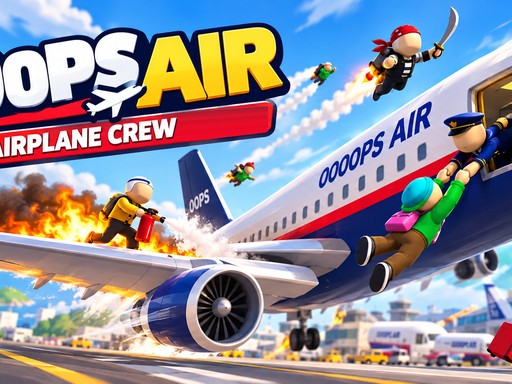
About Oops Air: Airplane Crew
One plane, several jobs
Oops Air begins on the ground, with bags, passengers and fuel waiting in different parts of the airport. By the end of a route, you may also have walked through the cabin, flown from the cockpit, handled a fire on the wing and kept a peculiar animal in the cargo hold. The joke is that there is almost always one more member of staff the airline could have used. Your job is to get the whole aircraft through the route anyway.
The grab button is the common thread. It handles a suitcase as well as an object you need for an emergency, so the ordinary loading jobs are the right place to learn it. Pick up one suitcase, walk a few steps and put it where you intend to. Notice how close you need to be before you grab a second item. That simple movement becomes harder to read in a cabin with several jobs competing for your attention.
Make yourself a departure checklist
Baggage and boarding
Start with the visible ground jobs. Use the tug to tow baggage trolleys and bring the bags where they need to go. Board the passengers and check whether anything has been left behind before moving to a different part of the airport. Since you are playing more than one role, it helps to remember which task you have completed and where you were standing when you left the last one. An unfinished baggage run can be difficult to remember once you are looking at the instruments in the cockpit.
Fuel and the cockpit
Take the fuel truck out to the wing and deal with refueling before you begin the flight. You can switch the view with V on a keyboard. Spend a moment on the difference between looking at the aircraft from another angle and walking inside it. One view can show you the part of the plane affected, while the cabin or cockpit view lets you reach the right object. Learning the change when the aircraft is still on the ground gives you time to orient yourself.
Cabin work has its own rhythm
Passengers can be hungry, angry or sick. Look at the request before you use the same item you needed a minute ago. Food, reassurance and a medkit solve different problems. When two tasks are close, decide what you need to carry on the way to the next passenger so you avoid crossing the cabin twice. If a problem interrupts you before you arrive, remember both your destination and what you were holding.
Carry that habit into other parts of the route. The cargo may contain an escaping crab, a growing whale or a caged T-Rex. Those animals are part of the scenario rather than decoration. If something changes in the hold, look at the new problem and decide what it interrupts. The route stays readable when you treat each change as a particular task instead of running from one alarm to the next without a plan.
What to look at when an ordinary flight turns into an emergency
Turbulence can interrupt a walk through the cabin. A bird strike or a fire on the wing draws your attention outside. A door, icing or jammed landing gear can bring a different set of actions into the foreground. It is worth finding where the current problem is before selecting an object in a hurry. If a wing fire is your next job, look for equipment and the way out toward the affected area. If the problem is landing gear, return your attention to getting the aircraft ready to land. These are in-game objectives that ask you to move among the different roles.
You can bring up to three helper bots. Start with them if keeping track of several tasks at once is getting in the way of learning the controls. On a familiar route, try paying attention to one part of the flight with less help. The aim is to see which jobs you understand well enough to switch away from and return to later. Cabin service, baggage and flight control each give you a different answer.
From the airport apron to the first cabin call
| Where you are | What to confirm | What might interrupt the next step |
|---|---|---|
| Baggage area | The trolley has reached the loading point, and the bags have been taken aboard. | A bag or passenger still waiting to board. |
| Beside the wing | The fuel truck is lined up, and refueling has registered. | Leaving the truck by the wing before finishing the job. |
| Cockpit | The ground jobs are complete, and the flight can begin. | An outside fault that calls for looking at the wing or aircraft itself. |
| Cabin | Identify the passenger or fault before grabbing the object you need. | A second alert nearby asking for a different action. |
| Approach to landing | Read the current condition of the aircraft and prepare for the arrival. | Gear or icing trouble that needs attention before an ordinary landing. |
Give a helper bot a task you can check
When you want to see what another member of the crew changes, try a familiar route once alone and once with one of the optional helper bots. Start in the cabin at a point you recognize. If a passenger shows a food request and another one needs a medkit, deal with the request you are already close enough to resolve. Watch which task the bot actually attends to before carrying a second item across the cabin. If it covers part of the routine, use the freed time to check a fault or a request that still needs a response. The game supports up to three helpers. Add another only after you have seen which part of the route is still taking most of your attention.
A wing alert asks for a different check. Switch the view to see where the aircraft is affected. If a fire extinguisher is the object the game prompts for, grab it with F and use it with E when the target is in reach. Check that the emergency has cleared before returning to the passenger you were serving. If the alert concerns a jammed door, icing or landing gear, follow the action for that fault instead of repeating the response to a fire. This is the useful part of replaying a short route: get the ground work down, then compare how much of the flight you can keep moving when one job interrupts the routine.
The twelve routes are a reason to learn the whole sequence
There are trips over fields and coastline and routes through a desert, at night, in mountains and in a storm. The game also goes as far as a volcano and a dinosaur island. A new setting can change which part of the sequence demands attention. On a short early route, repeat the departure until loading and refueling feel ordinary. On a later route, give more attention to which view lets you diagnose a problem quickly. Landing gives you a clear point at which to review the last decision that made the route harder.
If you need a simpler first session, aim to remember three places rather than the entire interface. Know where you began on the ground, where you can change back to the cockpit, and how to identify the passenger or object you need. Those three references help when a situation asks you to change jobs in the middle of doing something else.
Keyboard and touch reference
- WASD walks and the mouse changes your view.
- F grabs or drops an object. E uses it.
- Space jumps and left click hits.
- V switches view and P pauses.
- On touch, move with the stick, swipe to look and use the on-screen action buttons.
Developer FGStudio.











