About Noob’s Sand Art
Start with the strawberry and follow its edges
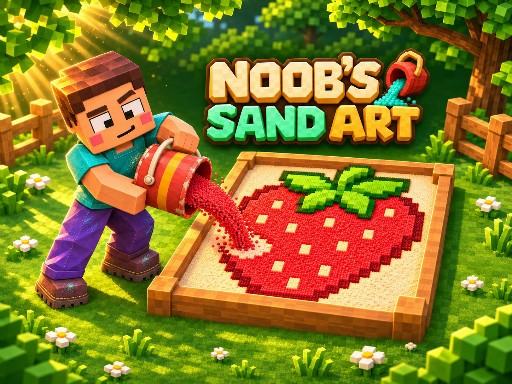
Noob’s Sand Art takes colored sand, a bucket and a wooden tray and asks you to fill a pixel picture. The first design is a strawberry. Later designs include animals and larger shapes such as butterflies, castles and rockets. Each picture gives you a different set of places to guide Noob with the bucket. The movement that fills a broad berry shape can carry you across too much of a small edge on a more detailed design.
Look at the outline of the design before picking up a color. Find the largest area that uses it and any small parts where that color appears again. A large area is a place to get used to walking with the sand. The smaller parts ask you to see exactly where your current pass begins and ends. Complete a visible strip or section first and use its edge to decide where the next pass should go. A completed section is easier to work beside than an area you have crossed in several different directions.
Use the silhouette to decide where to make small moves
Think about the strawberry as an example. A broad colored center is simple to recognize. The top, edges and little details have their own shapes. If you find that one of those smaller spaces is hard to fill, look at it from where you are guiding the character. Try approaching along the longest part of its edge so you can see when the next pixel goes past the boundary. Moving beside an outline can be easier than walking straight toward a short bit of it and trying to stop within a small space.
A butterfly suggests a different approach. The wings can read as two areas you can compare, so finishing one part lets you see whether you have left a similar spot on the other side. A castle or rocket can have a longer edge to follow before reaching a little shape at the top or bottom. Work out which part is a big block of color and which part is a short detail. The game’s pictures let you practice moving and stopping at different scales with the same input.
Take one bucket across the strawberry tray
Use the starting strawberry picture and pick up the bucket for the broad area of the berry. Begin inside its outline, then move Noob steadily along a section where the berry meets the empty part of the tray. Slow the movement when the red area steps inward by a pixel. Follow that step with the bucket instead of crossing the boundary as if it were a diagonal line. When you pass the narrow end of the strawberry, return to the part that still shows an unfilled red space. Keep the bucket pass about that one color. You can see more clearly which bit of the shape you missed when no other color is moving at the same time.
Check the small top part of the design before calling the berry complete. The leaves create a different border from the red area. Work with their displayed color rather than filling those few pixels with the bucket you already have. Once the result has been recorded, look for the finished picture in the gallery. On a bunny, butterfly or other design, repeat the idea of learning one contour from the broader color area out to the sharp pixel steps. The strawberry is a useful first comparison because the main fill and its narrow edge are easy to tell apart.
Put the finished design in your own collection
Completed pictures go into a gallery. Look at the shapes you have already finished as you unlock new ones. A design with more edges or smaller sections gives you another reason to practice guiding the bucket. You can also spend earned coins on clothes, crowns and different ground styles. Pay attention to the colors that remain easy to distinguish on a new ground style, since the empty tray is part of how you see what still needs filling.
Use the mouse or WASD to guide Noob. Take a small movement near the end of a shape so you can see where the sand has gone before continuing. The main pleasure is seeing the image become readable. A useful first goal is to fill one clear area evenly and use the boundary it leaves as the guide for the next color.
Developer Video Igrice.











