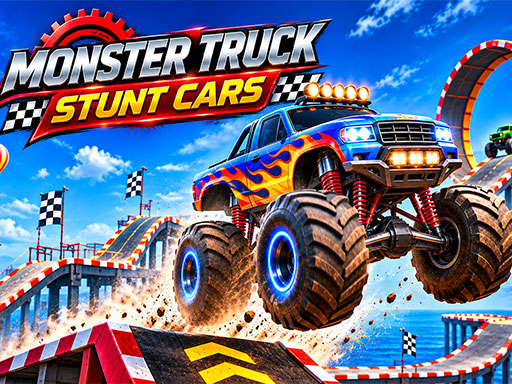
About Monster Truck Stunt cars
Learning to Control a Truck That Wants to Bounce
Monster Truck Stunt Cars is a 3D driving challenge built around oversized tires, steep ramps, aerial rotation, and obstacle courses. The truck can absorb rough terrain better than a normal car, but its height makes it easy to tip after an uneven landing. Speed creates spectacular jumps; balance determines whether the run continues.
Approaching a Ramp
Line the truck up before reaching the ramp. A last-second steering correction twists the chassis during takeoff and makes the landing difficult. Use enough acceleration to clear the gap, then reduce input once airborne. If the nose rises too far, correct gently rather than holding the opposite direction.
Controls
- Accelerate: W or Up
- Brake/reverse: S or Down
- Steer: A/D or Left/Right
- Handbrake: Space
- Reset vehicle: R
- Change camera: C
Landing on Four Wheels
The safest landing is aligned with the next section of track. If the truck touches down sideways, the large tires can catch the surface and roll the body. Release steering just before contact and avoid accelerating at the exact moment of a hard landing. Once all four wheels are stable, resume power.
Using the Handbrake
The handbrake is useful for rotating through a tight ground corner, not for every bend. Tap it while turning, then straighten the truck. Holding it too long removes the speed needed for the next ramp. On narrow elevated tracks, normal braking is safer than a slide.
When to Reset
If the truck lands upside down, becomes trapped between props, or falls far from the intended route, press R instead of spending time forcing it free. Learn which approach caused the problem and change the entry angle. Stunt games improve through small adjustments: slightly less speed, an earlier alignment, or a shorter correction in the air.
Use the tires to read what happened after a ramp
Pick a ramp with a broad landing on the other side. From the bottom, give the truck enough room to be pointed straight before the front tires climb onto it. Do a first jump without turning on the ramp. As the truck comes down, look at how many wheels meet the surface first. If the outside pair strikes while the truck is still rolling toward one side, the high body can keep leaning after the contact. Leave the steering neutral for that first moment and read which way the body moves. A large steering input made while the weight is still shifting may turn a bounce into a roll.
On a landing that slopes away, use the position of the front axle as your reference. If you are facing down the next part of the track and the rear tires are about to meet it, give them time to come down before using much throttle. If the nose meets a steep face before the body can settle, move your launch a little farther along the approach or test a slightly different entry speed. Keep the same steering for that test. This shows whether travel distance changed the landing without also moving the impact to a different side of the truck.
Change the camera for the part you need to see
Use C on a safe, level section. Choose a view that shows the ramp center on entry. After a restart, compare it with a view that gives you a better look at the truck’s side during the landing. The sides tell you whether the body is leaning. The wheels tell you whether it is ready to take the next turn. If the vehicle bounces and rolls only after your first turn on the ground, the jump may already be good enough. Try waiting for both axles next time. If it falls before the wheels meet the track, work on the approach angle. Reset with R for a clean test instead of trying to drive a tilted truck back to the takeoff from the far side.
Game credit on GameMonetize · MGS Studio











