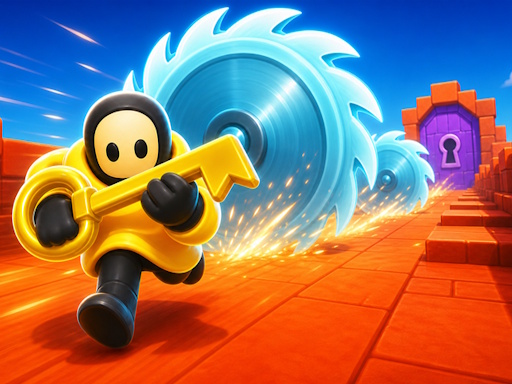
About Hero vs Traps
Stop the hero before trying to outrun a saw
In Hero vs Traps, hold the mouse button or touch the screen and drag in the direction you want to move. The hero follows that motion. Release to stop. That last part of the control matters because the floor ahead can be open for only part of a cycle. A spinning blade may give you an opening when it travels away from the route and close it as the blade comes back. The game lets you wait where you can watch it without drifting toward it.
Imagine two moving saws with a stretch between them. Watch what happens at the point where you intend to cross the first saw rather than following it all the way along its track. Decide whether the gap between the saws is wide enough to stop in. If it is, make the first crossing and let go so you can see what the second hazard is doing. If it leaves no room, wait for a moment when the two openings will line up for a longer move. Both choices use the same drag. The difference is whether you can safely stop before the next obstacle.
The same moving saw serves two different objectives
| What the level shows | What to do as the saw leaves your lane | What completes the stage |
|---|---|---|
| A survival timer | Stay where you can see the saw return unless your position will become unsafe. | Keep the hero alive until the required time ends. |
| An exit or locked route | Cross during the opening if it puts you nearer the exit or required switch. | Reach the exit after any required condition is met. |
In an exit level, watch the instant the saw stops covering the strip that leads to the next safe patch. Begin the drag just after it travels away, reach that patch and release to stop. Compare how much time you have before the blade crosses the strip again. In a survival level with the same kind of moving obstacle, the opening may let you stay safely in place instead. Look at the timer or exit before making the decision. If the level is tracking chests or active objects, check what the stage still asks for before using a clear lane just because it is momentarily open.
Pick a waiting spot that lets you see the saw and the next safe patch together. If the camera makes the opening hard to judge, stop before the narrow strip and watch it complete another pass. The next drag should have a visible place to end.
Decide what the crystals should buy
Completing challenges earns crystals for the in-game shop. One ability helps you move faster through a dangerous area. Revival gives you a second chance after a mistake. Consider the reason for your last failure. If the route you picked was safe but the gap closed before you covered the distance, speed might help. If an unpredictable part of the route keeps ending a promising attempt, a revival can give you another look at that part. Either one is more useful after you have decided which section you want to change.
Try one route without the ability first when you can do that without spending anything. Notice where you stopped and where you needed to keep moving. On another try, use the ability for the point you marked. The difference will be easier to see if you approach the crossing at the same moment and in the same direction.
Let go when the next move is unclear
Hold the left mouse button and drag toward the destination. On touch, hold and drag with a finger. Release as soon as the hero reaches the spot you meant to wait in. Take that pause to watch what the obstacles do before deciding on another input. A stage that appeared to require fast reflexes from beginning to end may have several places where a full view of the next saw makes the fast part much shorter.
Developer RandomGames.











