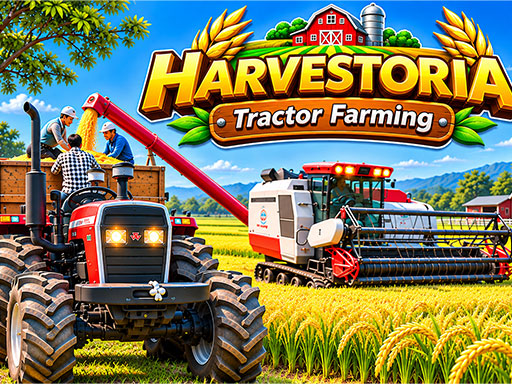
About HARVESTORIA: Tractor Farming
Read the orange arrows, then look at the ground
Harvestoria begins with a farmer on foot and a tractor waiting for work. You climb into the cab, follow the orange markers to the equipment and use the attachment the mission asks for. The field does more than provide scenery. The soil changes color behind you, so the last pass is still visible when you turn around to start the next one. Once you hitch the right machine, that patch of color is one of your most useful guides.
Find out where the mission wants you to start before you line up for the equipment. You may need to get a plough, a cultivator, a seeder, a sprayer or a cutter. Other jobs ask you to take water or cargo from one place to another. The orange arrows tie these parts of the assignment together, and Farmer Joe can give you a tip if you lose your place between one step and the next.
Hitching an implement from the driver’s seat
Drive past the attachment with enough room to turn back toward it. Reverse with the rear of the tractor pointed along the center of the equipment. If you arrive at an angle, pull forward and reset your approach. Turning sharply at the last moment moves the cab while the hitch can still be too far to the side. Take the slow approach once and you will recognize a suitable position the next time you see an implement.
Press F to attach or detach. Once attached, move a short distance and look at how the equipment follows. A wide attachment gives you a reason to begin the next turn before you run out of empty land. An equipment trailer may need some room to follow before you make another change of direction. That check is particularly useful if the next orange arrow sits close to the hitching point and invites you to turn as soon as the machine is on.
Plough one row and use it to set up the next
On a ploughing job, follow the orange arrows to the implement the objective names. Put the rear of the tractor in line with it and use F to attach when you are close enough. Return to the edge of the field so the first pass can go straight. As you pull through the row, look behind the tractor for the strip of soil that changes color. Its outside edge shows where the implement worked. At the end, turn beyond the section you intend to plough. Line up the next pass just beside the first color boundary to avoid leaving a thin strip of untouched soil. Check early in the row so you can correct a small offset without redoing the pass.
When the field objective still has work left, follow the visible boundary rather than repeating the middle. A pale strip beside a dark track is a specific reason to return with the plough. On a water delivery, follow the arrows to the destination and check the delivery prompt there. The line you drive through a field is the work because that is where the implement covers the soil. On a tanker job the line brings a load to one destination. Your useful check happens at the handoff.
Give transport work a different pace
A trolley or water tanker changes the focus from coverage to getting the vehicle where it needs to go. Check how much room the implement has to clear a turn and try a slow departure if you do not know the route yet. Use the objective arrows again when you come off the main road so you can focus on the approach rather than looking for the destination at the same time. Carrying water and hauling materials fit alongside the ploughing, planting and spraying missions across 40 levels.
Driving inputs use W or Up Arrow to accelerate, S or Down Arrow to brake or reverse and A/D or Left/Right Arrow to steer. Space applies the handbrake. Learn where F sits next to the driving keys so it’s easy to hitch up without losing your place while lining up the tractor.
Developer MGS Studio.











