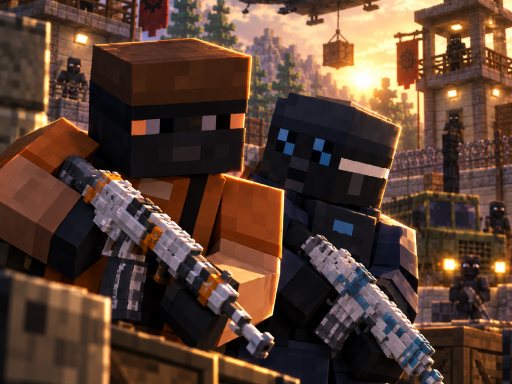
About FPS Block Strike Dust2
Read the round objective before choosing the first direction
FPS Block Strike Dust2 puts two teams into a block-style arena inspired by Dust2. Select a team and use the game interface to see what the round is asking you to do. There is a market for equipment and a bomb action when the objective gives it a purpose. The team names and round goals belong to the game’s setup. A useful first match is learning where the prompts appear and how the view changes while you move with the same objective in mind.
Use WASD or the arrows to move. The mouse aims and fires. Try a short movement in a place where you can recognize how you arrived there. Look again at the round information after the movement. A corridor can appear similar to another one until you see the direction in which it opens. The block-style artwork gives you shapes you can remember as a way to orient your view when the action starts.
Learn the map a short piece at a time
When you reach a place with more than one direction available, choose one you can return from. Observe the opening and where it leads before leaving the view entirely. Then find that opening from the opposite side. If the team is moving toward another area, look at their positions and the current prompt while finding out where you are. This helps you follow the round as a shared objective rather than repeatedly returning to the same part without seeing how it connects.
Consider a run that ended soon after making a direction change. Remember the view you had immediately before it. On another try, stop one movement sooner and look at the path continuing around the corner. It can give you a useful landmark or a visible teammate to use for orientation. A slower look at one crossing can make the rest of the round easier to follow as the positions move around you.
The round prompt gives the market a purpose
Use the current round and team assignment to read the immediate objective. Press B to open the game’s market, and inspect what is available before selecting a weapon. Leave the market and check that the intended selection is equipped. Compare it in the same small part of the block-style arena where you learned the basic controls. The market selection is a setup step. It does not replace reading the team’s objective after the round begins.
When the current round assigns a planting action, look for its marked site or visible interaction prompt and use E there. Follow what the game shows and check the objective state after the interaction. In a team round with a different task, use its own displayed instructions. This guide follows the map and controls of the browser build called FPS Block Strike Dust2. It does not use names or routes from another game’s map as if they appeared in this version.
Use the game’s action prompt for the marked objective
E is the plant action when the game presents the bomb objective. Follow the in-game indicator and check the round status after using a contextual control. In another round, you may have a different job. Let the selected team and prompt tell you what that is before repeating the last action as a habit. The native browser mouse view is easier to manage when you already know which area or part of the interface you intend to read after pressing the key.
An early match can be about learning the connection between two landmarks. A later one can be about using the market once and following the objective through the round. Keep the mouse movement small enough to see where it takes your view before adding a second direction. The map becomes easier to play as you learn which shapes tell you where you are and which prompts tell you what your current team still needs.
Game credit on GameMonetize · FBK











