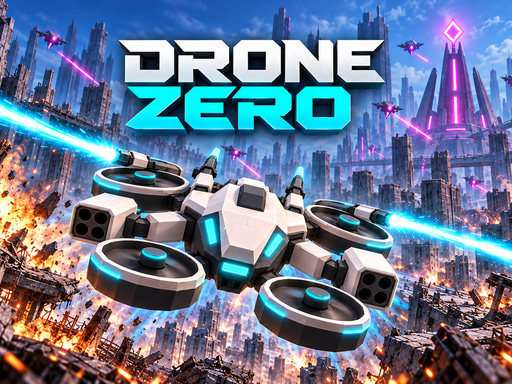
About DRONE ZERO
Check the mission text before spending the first dash
DRONE ZERO places you in a 3D arcade city as the pilot of DZ-01. Eight missions give it different jobs, including destroying patrols, disabling transmitters, intercepting attackers, defending an uplink and escorting a convoy. There are bosses as well. The appearance of rain, lightning and glowing effects can make the opening of a scene busy. Start by identifying what the game wants done and which part of the interface shows how it is going.
Move with WASD or the arrows and aim with the mouse. Click or press Space to fire the cannons. Learn a small movement at a point where you can still see the objective. After trying it, look at where the drone is in relation to the part of the mission you were watching. A clearer view can be useful by itself when the objective is something that needs you to remain nearby. In a patrol mission, the next thing to read may appear somewhere else in the scene.
Rockets, EMP and dash show up on separate keys
R uses rockets. E triggers EMP. Shift dashes. Try each of those when the game gives you a view of the result. If you are learning a dash, look at where it lands before using it to return toward the mission. If you are learning EMP, give yourself a moment to see what changed before choosing another action. It is easier to use a special button in a boss encounter after you have watched it do something in a clearer situation.
The cannons give you an action to use during the ordinary parts of the mission. The special controls give you different movements or effects on top of that. Give each input a short description you remember. Keeping them distinct lets you decide whether you are about to change the drone’s position or use an option from the weapon set. Try one at a time on a scene you know when two glowing effects make the difference hard to see.
Before deploying, give the mission screen one job
| Operation type | What to follow | What ends that part of the mission |
|---|---|---|
| Transmitter operation | Use the intel map and objective marker to find the transmitter. | Check that it is marked as disabled. |
| Convoy escort | Keep the moving convoy in view as the objective advances. | Support it until the game acknowledges the escort. |
| Uplink defense | Watch the area the mission actually wants held. | Read the defense status before leaving. |
Start from the Operations menu. The browser build names First Contact on its first mission and labels orange as the target area and cyan as charging pads on the intel map. Read the objective before deploying. In a transmitter job, the marker tells you where the next action belongs. During an escort or defense job, the combat alone does not tell you whether the task is on track. Watch what you are protecting as well as the drone. Use the cannon, rockets, EMP and dash by their current prompts. This game tracks operations and survival, while DRONE ZERO RACING uses the track and finish position as its goal.
Use the hangar after deciding what slowed the last mission
Credits can improve weapons, shields and engines, and pickups can restore shields during missions. Try a shield improvement on a scenario where you remember when the indicator dropped. Test an engine change on a readable part of the city so you can see where the drone ends up after a direction change. If you’re working on a weapon upgrade, compare the response during one of the earlier fights instead of picking an unfamiliar boss as your first test.
Stars and trophies give you extra results to pursue. Chain eliminations where you can still keep the current objective in view. When you want a stronger score, use a mission you already understand long enough to know whether it asks for an extra action or a quicker response to the same one. Esc pauses. On touch, use the left stick to move and the right-hand buttons for actions. A useful first goal in a new scene is knowing what the drone is protecting, approaching or following before you use its fastest movement.
Game credit on GameMonetize · Mapi Games











