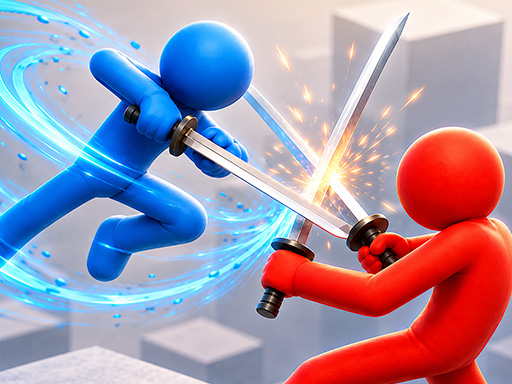
About Dash & Slash
Plan for the end of the sword dash
Dash & Slash puts a stickman ninja in short arenas with opponents and obstacles. A swipe or mouse release sends the character across the arena. Think about where that sweep finishes. A direction that reaches the first opponent can send the ninja toward a hazard or leave the next opponent on the wrong side of the room. Learning to see the next position before you launch makes a short level feel more like a sequence and less like a set of isolated reactions.
Use the first moment of a level to notice which parts of the arena are open. Find an enemy you can reach and see what lies beyond them. If there is usable space, that gives you a place to make the next decision. If the line appears to end beside an obstacle, look for another start. You can make the first dash serve two purposes when it reaches the opponent and puts you in a readable spot for the next one.
Read two endpoints around one obstruction
Choose a short arena where the first enemy can be reached from the near side of a hazard and the second is visible beyond it. Aim the first dash so it meets the near enemy and ends on the open side of the obstruction. Leave room beyond that contact. If the movement would finish beside or inside the dangerous strip, change the angle before release even if the first enemy was easy to line up. On desktop, hold the left mouse button to aim, then release. On touch, use the swipe that sends the hero down the line you chose.
From the first endpoint, check the stretch between the obstruction and the next enemy again. The second dash should finish on another clear patch of the floor so a remaining threat or hazard cannot make that landing unusable. If the first dash lands correctly but the second still crosses the obstruction, use a wider first endpoint on the next run. Compare the enemy you hit with the place the dash finishes. The pair of moves works when both endpoints leave space to act from, not just when you can draw a line through both targets.
Shorter movements of the hand can make the aim clearer
On desktop, hold the left mouse button, point in the direction you want and let go. On touch, swipe across the screen. Learn the direction with one input in a simple arena. The speed of the character after launch gives you less time to read what you just did, so confirm the line before releasing. When the arena has two figures close together, make sure you are aiming down the line to the one you had in mind instead of toward the middle of both.
On a phone or tablet, position your hand so it covers as little of the far end of the path as possible. Once you release the swipe, see where the ninja lands. If you miss the opponent by a little, use the next attempt to adjust the direction instead of changing the whole order of your plan. A miss that comes from the angle and a failure that comes from putting the character next to a hazard can look similar if you only pay attention to the result screen.
Make each new level answer a different question
A level with more room is useful for finding what a clean pass looks like. Another can teach you which obstacles should be crossed first or left outside the planned line. Arrive at the next arena with one part of that experience in mind. Maybe you now know to aim for a position with a view of two opponents. Maybe you have learned that a particular approach leaves you facing a trap when you expected a safe spot. Check how the new layout applies that lesson before assuming it calls for the exact same opening direction.
The game gets its pace from short, decisive inputs. You can look at the arena, launch, confirm the position and set the next direction in a small number of movements. A good run is satisfying because each short dash makes the one that follows easier to see.
Developer Prime.











