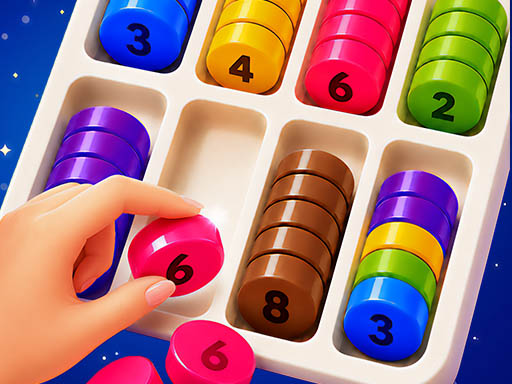
About Color Coin Merge
Level 1 starts with three orange stacks
The first board in Color Coin Merge leaves most of the grid locked. The tutorial puts three orange stacks marked 1 in the first three slots of the bottom row. A fourth slot is empty and available, and the last one has a lock. The highlighted instruction is Tap to select. The central stack is about to become the destination for both of the others, which lets you see an upgrade happen with very little else on the board.
- Select the orange stack in the leftmost open slot. Wait for the instruction to change to Tap to move.
- Tap the orange stack in the center. The left slot clears and the center now holds the coins you brought together.
- Select the orange stack to the right of the center. Tap the highlighted center as the destination again. The group becomes a green coin marked 2.
The numbers help show what happened even if the orange and green are hard to tell apart on your screen. Before the move, the source and destination are both marked 1. At the end you have a new value in the middle and open positions on either side. Pay attention to those vacancies. They are part of the result of the merge, and they matter as soon as the next coins come in.
What DEAL changed on the tutorial board
After the green 2 appears, the game highlights DEAL and says Tap to deal coins. Tapping it keeps the green stack in the center and places green stacks in the empty spaces to the left and right. In the exercise, that gives the new value a matching color on either side. The tutorial then calls for another selection, using the stack on the left.
Later, before you deal, scan the stacks already on the board and the open slots next to them. If you have a move that brings matching colors together and clears a position, take a moment to see whether taking it now gives you more breathing room. The early example is deliberately tidy. Once you have several colors available, the deal and the choice of a destination can compete for the same slots.
When a matching stack has a choice of destinations
Think through a board with a green stack near one side and another green stack closer to the middle. If you can combine with either one, picture the resulting layout in each case. Leaving the grouped coins at the edge can open the middle for a different color. Keeping them in the middle might be convenient if you can already see where another green stack could meet them. Start to make that decision before you tap the first stack.
A second thing to check is the color you will have after a successful upgrade. The tutorial shows orange 1 becoming green 2. If you already have a matching green stack elsewhere in a later puzzle, see whether your plan leaves you a practical way to bring those two green stacks together. A merge that clears one slot can also create the conditions for the next move. Look at the whole board when you finish each group.
When the booster buttons are still locked
At the bottom of the tutorial, three booster buttons carry the labels Level 4, Level 6 and Level 10. They correspond to Shuffle at Level 4, Hammer at Level 6 and Free Move at Level 10. While those buttons are locked, work with stack selection, the destination slots and DEAL. When a booster becomes available, read its prompt with a specific coin or position in mind.
What the Time Slot opens
The Time Slot temporarily opens an extra position on the board. Once it is active, that position has its own countdown of about a minute. Use it as working space for a stack you can move or merge soon. If the countdown ends with coins still there, those coins can remain until you clear the slot, and the position then locks again.
For example, use the temporary space to hold a matching stack while you bring two colors together elsewhere. Then check whether you can bring the held stack back into the group before it becomes the last thing you have to move. Board space is the advantage you gain from the timer. Plan what goes into the extra position and where it can go when you need to clear it.
Game credit on GameMonetize · Inlogic Software s.r.o.











