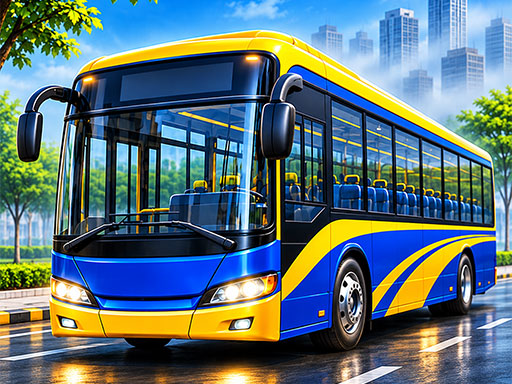
About Bus Stop Hero
The game takes over parking after the bus reaches the right bay
Bus Stop Hero sends a city bus to stops with passengers waiting. Follow the green GPS line and the minimap, then bring the bus into the marked Bus Stop bay. Reaching it triggers automatic parking. The view swings around to the door, where you can see passengers board and take their seats. Give the arrival enough attention to line up with the bay. The automatic part begins after getting to the right place, and the passengers still have another stop to reach before the route timer ends.
Look along the green line until you can see where it leaves the main route or reaches the marked space. Move through the previous junction in a way that puts the bus on a direction you will be able to hold for the bay. A bus takes up more of the turn than the part of it directly in front of the camera. Use the side or outside view when you need to see how much of it is still coming around. The turn into the final approach goes better when you can tell where the rear is going before you change direction again.
Read the minimap for the next stop, and the street for the next few metres
The minimap helps when you are deciding which intersection the route uses. Near a turn, look back at the road to see what the traffic is doing. If another vehicle changes the space around the turn, keep that movement in view while you choose when to enter. The green line will still be there after you let the bus settle. Once through, look for the next place where you can go straight rather than steering immediately for a destination you can only see on the map.
Think about the approach as two different movements. First drive close enough to recognize the bus stop and choose the lane you want. Then slow enough to see when the front of the bus reaches a usable direction into the bay. If the route line is partly out of view, use C to change camera and check the approach again. A brief look at the lane can keep you from missing a turn while concentrating on reaching the stop quickly.
A two-stop route from the green line to the last handoff
Follow the green GPS line to the first BUS STOP bay. Use the minimap to choose the street and the painted bay to line up the bus. When you enter the marked space, watch for the game to take over parking. The change in view toward the entrance is the boarding sequence: passengers step aboard and appear in their seats. Wait for that sequence to finish before swinging the camera or steering toward the next street. It is normal for the job to pause there while the passengers get on.
Then look for the updated GPS line and the next stop. Follow it with the timer in view, pull into the second marked bay and wait for the game to register the stop or finish the route. A short two-stop level shows both jobs clearly. Between bays you follow the route through traffic; inside the bay you let the automatic parking and passenger sequence complete. Six-stop routes need the same checks more often, so reading the boarding result early is a useful habit.
Compare a bus on a route you know
There are 50 levels and three buses, City Blue, Red Express and Teal Comfort. They differ in speed, power and handling. Take a new bus on a familiar route and notice the stopping distance and how it moves through a turn toward a bay. Those details tell you what to expect when a later level gives you a tighter arrival or more traffic.
Use W/↑ to accelerate and S/↓ to brake or reverse. Steer with A/D or the side arrows. Space is the handbrake, H sounds the horn, C changes camera and R returns the bus upright in the game. Check the GPS line after a camera change so your next movement starts along the route you intended to follow.
Game credit on GameMonetize · MGS Studio











