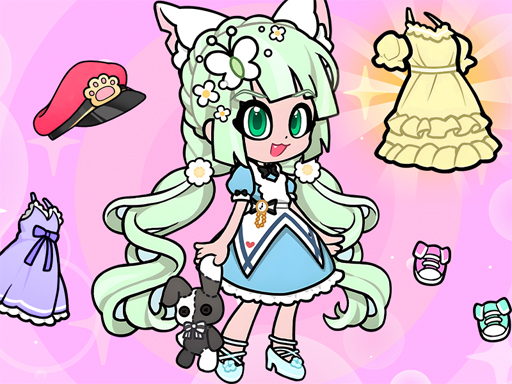
About Avatar Maker For Girl
Make an avatar who has something to do in the room
Avatar Maker For Girl lets you put together cartoon characters, decorate rooms and use those pieces to make little story scenes. Start with one idea you want the finished image to show. It could be a quiet part of the day or a room that has been arranged around an activity. The choice gives the avatar and the space one detail to share. You can make a look you like first, then decide what part of a room would let that look fit into a scene.
Try deciding what the viewer should notice when the character appears. It could be an outfit, the shape of the hair or another feature of the cartoon. Pick a main piece and move through the other options to see which ones support its shape or color. If you are making more than one character, keep one clear difference between them. A change to the outline or the strongest color can make the second character easy to distinguish even before you look at the other details.
Use the room to show where the action belongs
Look at the empty space and decide which area will be part of what the character is doing. Place a room piece there first. Leave space for the character to be visible beside it. Use the other pieces to indicate the rest of the setting. If every piece is close together, consider moving one farther away so the viewer can see which part is supposed to matter. The room has a purpose in the picture even if you decorate it with only a few things at the start.
For example, imagine you want to show a character settling into a cozy room. Choose a part of the room for them and put one thing you associate with the scene nearby. Give the background a simpler arrangement where it frames the character rather than making the details hard to pick out. Try a second view with another group of objects to one side. See whether the avatar still looks like the main part of the story or whether one of the room pieces has become the first thing you notice. Both can work depending on what you want the scene to show.
Put the same avatar in two positions to tell a short story
Set up a room for a character who is coming in from outside. Choose a starting position beside the room’s entry or another obvious edge. Put the avatar there and give the first view one visible destination, such as an open spot beside the main piece of furniture. Drag the same avatar closer to that spot for the second view. Compare where the face is turned and which objects are now partly covered. A viewer should be able to see that the character has moved toward something even when the costume has stayed the same.
Make a second version with the avatar standing beside the intended object from the start. Remove a small decoration if it competes with the reason the avatar is there. One version shows a character arriving; the other begins with the character already part of the room. Use clothing to support that change if needed. This game gives you the avatar and the room as pieces of a scene. The point of moving the same character is to make the story legible through placement, rather than building another unrelated outfit each time.
Drag while watching the place that is going to receive the piece
Use the drag control to place clothing, character elements and decorations as the game offers them. On touch, look at your destination before starting the movement so that you can see what will still be around the item once your finger moves away. View the whole scene after you position a larger piece. It may create room for a small decoration or give you a reason to choose a different part of the room for a character.
The creative parts of the game can be used in whichever order fits your idea. Work on an avatar if the character is the first thing you can picture. Start with the room if the setting gives you the idea for the person who will use it. Finish by seeing how character, place and one clear activity look together.
Game credit on GameMonetize · bestgames.com











