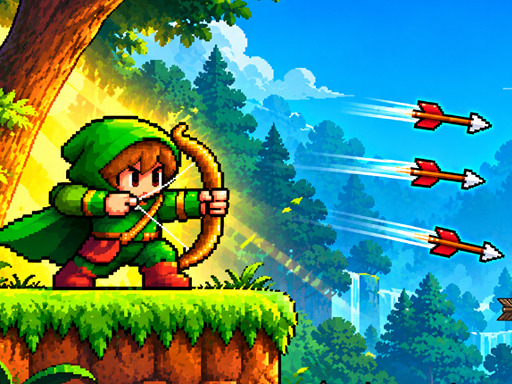
About Arrow Survival: 15 Seconds DEMO
In this demo, survive the fifteen seconds before trying a riskier shot
Arrow Survival: 15 Seconds DEMO is a playable preview. Each level asks you to stay alive for fifteen seconds while the pixel-art stage changes what you have to watch. Learn what starts the timer and find a place you can reach with an ordinary jump. On the first attempt, watch where the initial hazard reaches the floor and where it leaves a clear landing. It can be enough to learn one useful direction without firing at every open patch of the stage.
When the level contains a surface that redirects arrows, keep that surface separate from the spikes or the edge you are trying to avoid. Shoot with J or X and stay somewhere you can see both legs of the arrow’s movement. The next run starts with a question you can answer: whether the arrow changes direction while you still have enough time to use the opening it gives you.
Trace the outgoing shot and the bounce separately
- Before the shot: identify the bouncing surface and leave room for an ordinary jump if you need it.
- At impact: watch the point where the arrow reaches the surface. Its route after contact can cross a different height or side of the stage.
- Before the timer ends: compare that second route with your next landing. Fire another arrow only if the remaining seconds give you a reason to change what the first one did.
If one shot comes back across the space you intended to use, repeat from a different height or position with R. Use the visible result of the rebound rather than assuming every platform redirects an arrow in the same way. The demo is a chance to learn that short sequence before you try to link jumps and shots over the full timer.
Count the jump you still have after the rebound
Use the first seconds to find the surface you can stand on after the shot. When the arrow changes direction, see whether that surface is still useful before making another move. In the final seconds, take the nearest clean landing when a trick shot would need more setup than the clock gives you. A replay is the better place to test an earlier arrow and watch its full path.
Use three points to understand a failed attempt
The start. Ask whether you gave yourself a usable first place to move. A jump taken to see what happens can leave you reading the first hazard from a hard position.
The middle. Look at where a new mechanic changed the space. If a platform or another part of the scene did something you had not allowed for, observe it near the start of the next attempt. Then choose from the clear spots you can still reach.
The ending. If you survived almost to the end, find the last movement that put you near a spike or left you unable to react. Try keeping a different position available for the last few seconds. A short wait or a smaller jump can give you time to make the final move you need.
The levels are part of a demo. They introduce different mechanics in a small time limit, so learning a particular setup can be as useful as practicing reflexes. When you press restart, choose the part of the level to observe first. Move when you can see what the new mechanic asks of you. Then put the next movement in a place that still leaves you a way to get past it.
Keyboard actions during a short timer
Use A/D or the side arrows to move. W, Up Arrow or Space jumps. J or X fires an arrow. R restarts the level and P pauses. Pick one jump and one fire key for the whole attempt. The moment before you make the next move is for looking at the position of the hazard and the place you want to be afterward. Make those two things easy to see before deciding whether to shoot.
Game credit on GameMonetize · Low Pixel Byte











