About Oxy Arena
From the Oxy Arena lobby to a match
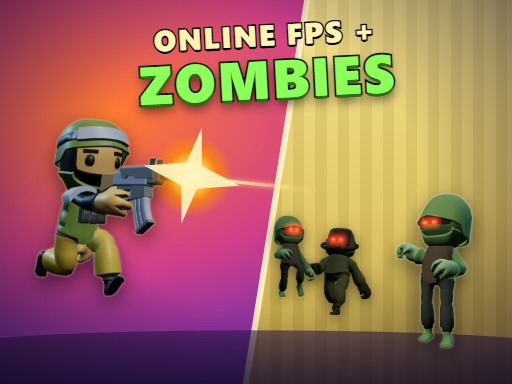
Oxy Arena is a block-style first-person shooter with public multiplayer and offline practice options. The lobby has separate entries for Play, Backrooms: Zombies, Rooms & Friends, Practice and Target Range. Pick the entry that matches what you are trying to play. If your group is waiting for a code, open Rooms & Friends. If you are getting used to how the crosshair moves, start at the range.
| Lobby entry | What to use it for |
|---|---|
| Play | Find regular Deathmatch or four-against-four Team Deathmatch. |
| Backrooms: Zombies | Play the solo survival mode, which runs for five waves. |
| Rooms & Friends | Create a room or enter a room code. A password keeps a room out of the public match list. |
| Practice | Choose a map and difficulty for a session with bots. |
| Target Range | Use a dedicated space to get a feel for your aim and weapon inputs. |
For a group session, decide who creates the room, share the code with the others and wait until everyone has entered. The room options let you add bots if you want more players on the field.
In Backrooms, use the first wave to read the room
When the opening wave begins, look for ground you can retreat across while keeping an approach in view. A route that ends against a wall gives you less space to recover after moving in. Check the ammo display while you have distance from the zombies. If you are about to reload from a spot with two approaches, give yourself room to move before pressing the reload key.
That first wave can also show whether the spot you picked is worth using again. After moving away from it, see whether you can recognize the same wall or opening from your new position. In Team Deathmatch, read the area with your teammates’ positions in mind. In solo Backrooms, the movement and timing of the zombies set the pace for the same decisions.
Six maps make the map key worth knowing
The settings include Downtown, Ruins, Orbital, Dungeon, Block Fort and the Backrooms. Downtown has shops you can enter. Orbital is a station, and the Backrooms are a different sort of indoor space. Use M to open the map and pick a landmark that belongs to the place you are looking at. Walk far enough to see how another room or street meets it, then return and recognize the same landmark from another direction. This is easier to do on an unfamiliar map than trying to remember every passage before you know what’s nearby.
When the game puts you back into a match, check whether you can see the part of the map you last recognized. If you appeared somewhere else, find a new reference from the current view. That keeps the location you remember from overriding what the screen is showing now. On Team Deathmatch, a visible teammate can give you another cue to where you entered. On Backrooms, a junction you can see from more than one side can help while the session remains solo.
A weapon slot and a progression goal mean different things
The weapon set includes an AK, SMG, shotgun, sniper rifle and pistol. Select a slot with 1–5 or the mouse wheel. Q returns to the last weapon. Watch which selection is visible before acting with it. The range gives you a way to compare what each one does without losing track of a match objective. Skins, level progression and daily challenges give you other ways to choose what you want from a session. Read the current challenge before starting a match if you want that round to make progress toward it.
Controls on computers, phones and tablets
Use WASD to move and the mouse to look. Left click fires and right click aims. Space jumps, Shift sprints, C crouches and R reloads. M opens the map, Tab shows scores and Esc pauses. On touch, use the thumbstick to move, drag to look and tap the action buttons. Try a familiar move after changing devices. When you reach the next match, keep one part of the interface or map in mind that you want to read more clearly.
Game credit on GameMonetize · Tekila Games











