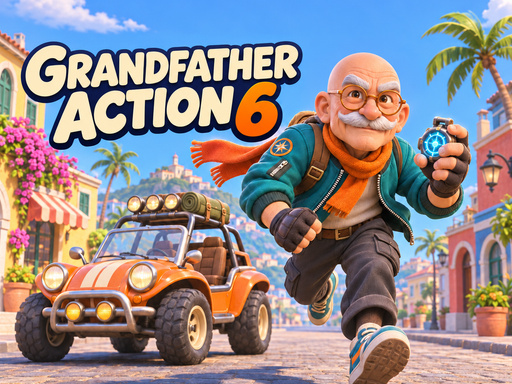
About Grand Father Action 6
Take a look at Benoit’s map before following the street
Grand Father Action 6 is a city sandbox in which you play Benoit. Cars, street chases and missions give you different reasons to go through the open world. The game lets you walk, run, jump or use a fly action. The useful way to start is to see what the current mission wants and look at where it sits in the city. An interesting street can be worth exploring. It is also easy to lose the location you came for if you follow every turn in the first few minutes.
Use E for the map. Find your current position and a street or building you think you will recognize when you return to the normal view. Decide how far you need to move before you check the map again. An easy first goal is walking to a visible junction and learning what direction it opens in. That gives you one reference at ground level before you start using vehicles or taking missions that send you through more of the city.
Switch between travel and exploration deliberately
Walk through a small area to see what you can read at a slower speed. Look at the corners where you can see another branch and at what the view does when you turn around. If you jump or use the fly action, find out where you will come back to the part of the street you started from. This can be useful when you want to get a different look at the surroundings. Get orientated again when the camera shows another height or direction.
A drive across several streets gives you a faster way to get to another mission, with less time to notice which part of the city you are entering. Choose a direction you can recognize from the map. If the street is busy, wait for a point where you can look at the next junction rather than making two directions at once. Use the route to reach the area you meant to visit and give the different vehicle or camera view a short look once you arrive. You will know which changes came from where you were driving and which came from changing the way you moved.
Take one objective from the map to the current prompt
When a mission appears, stop Benoit where the camera is easy to orient. Press E to open the map and locate the goal marker if the mission supplies one. Pick a street or junction you can recognize after closing the map. Move toward that landmark and reopen the map to confirm that the route is taking you closer to the goal. On reaching the indicated place, read the new on-screen instruction before using an unrelated action. Some movement options are useful in free exploration but do not advance a job unless the current prompt asks for them.
If a retry is available through R, use it when you want to learn the same objective again. Compare the place where your last attempt stopped changing the mission state with the map and the new prompt. This walkthrough refers to Benoit and the missions shown in this browser build. Describing what the map actually does gives the player more to work with than treating the name or city style as a guide to another game.
Give a free session one corner of the city to learn
Without a mission pulling you along, choose a landmark and see how many routes return to it. Walk one way to it and use a car for another approach when the game gives you the opportunity. A street you know from the ground can be easier to recognize after a jump or while you are moving quickly. When you go to a new area, find the first view in which you can see where you came from. That turns a city full of possible movements into a sequence of small trips you can understand.
Move with WASD and look with the mouse. Shift runs and Space jumps. F is the fly input, E opens the map and R retries. Start with the controls you intend to use on the next street, then check how the scene changes when the mission asks for another kind of movement.
Game credit on GameMonetize · breyman games











