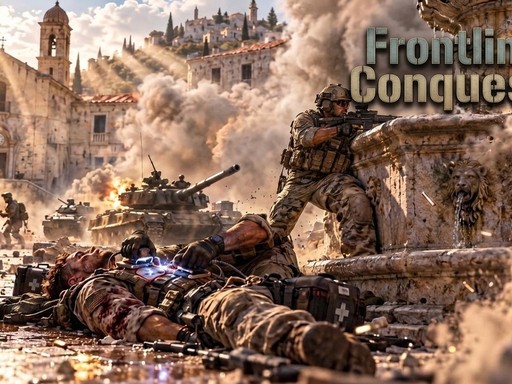
About Frontline Conquest
The flags decide where the next part of Port Valor takes place
Frontline Conquest is a first-person squad game on Port Valor. The objective is to take flags with your team. The map gives you classes, vehicles and destructible cover, and squad members can revive each other. That makes the state of an objective more important than the last thing that happened at your crosshair. Read which flag the team is working on and where you can enter its area before choosing a class or moving toward a vehicle.
Use a match against bots to become familiar with the objective information. Locate a flag the game marks for your side and learn what the interface shows before and after it changes. Move away far enough to see how the approach relates to another objective. The exercise gives you a reason to watch the flag and the squad markers at the same time. When you enter an online match, the people around you have their own choices, but the same information can tell you whether anyone is still working on the current objective.
Give the class a visible job
Read what the available classes and their equipment actually provide. If the team is already reaching a flag and losing players there, see what the game offers for supporting the group. If the flag is far from the position you start at, choosing an approach or getting into a vehicle can change where you first become useful. Learn the action for one loadout in a quiet stretch of a bot match. Switch equipment when you can see what the game says is selected before trying to use it.
Reviving a teammate is one of the actions that keeps a squad together in the game. Check the revive prompt when a downed teammate is near and see how you can remain close to the current objective. If it brings the player back, look at what changed around the flag before continuing on your earlier route. Recovering the squad gives you a new position to read with teammates present. It can be more useful than continuing toward another marker because that was where you were pointed before the revive.
Read a single flag from the outside in
- Outside the flag area: find the objective marker on Port Valor and see which approach is already occupied by your squad. Use the class you picked to fill one useful spot on that approach.
- Beside the flag: read the objective indicator while nearby cover is still usable. A downed teammate can have a revive interaction. Look for the prompt and revive when you can reach the teammate without leaving the objective uncovered.
- On the route back: check whether a vehicle is useful for moving between flags or giving the squad room outside the area. Enter with E when the game offers the interaction, then check what the vehicle view lets you see around the objective.
Use the same flag in a bot match to learn where the marker and downed teammate prompt appear. Online, watch where the squad actually needs help before taking the same vehicle. A tank can change how you arrive and which part of the approach you can support. It still leaves a flag state for you and the squad to watch. A bot run is good for learning those cues before a busy match makes them harder to see.
Try a different mode with a specific thing to learn
Playing against bots lets you test a button, class or vehicle while you concentrate on one part of the interface. Online play gives you a chance to see how different squads divide the flags. Earning credits adds unlocks for weapons and cosmetics. Some items also offer an optional video unlock. Look at the item in the game’s menus to see how it can be obtained. A new choice is most useful when you can tell which part of a previous attempt you want to try differently.
Keyboard inputs
- WASD moves. The mouse aims. Left click fires and right click aims down sights.
- Use R to reload, Shift to sprint and Space to jump.
- 1–6 selects weapons or gadgets. G uses the grenade input.
- E interacts with the current object or vehicle. Esc pauses.
After a respawn, check the objective and the squad before moving. Port Valor gives you a reason to find out where the next useful team action is instead of trying to restart the last encounter from the same place.
Game credit on GameMonetize · splitch studio











