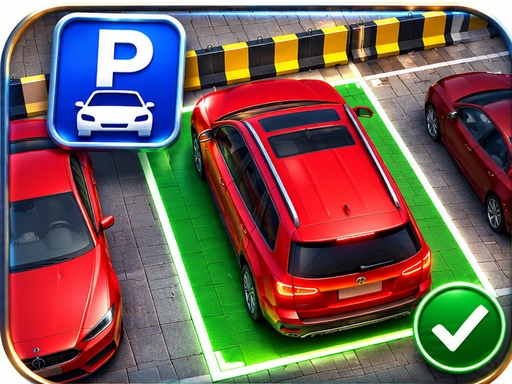
About Park Perfect: Car Simulator
The car has to stop inside the yellow slot
Park Perfect: Car Simulator gives you a car and a yellow parking slot between other vehicles. The lane leading to it can include cones, sharp bends and speed bumps. Contact with a cone, barrier or parked car ends the attempt. Even after reaching the slot, you have to stop inside and hold the car still. That makes the final part of the drive a separate test. You can be in the right place and still have to position the whole car before the game will count the park.
Use W or Up Arrow to move forward and S or Down Arrow to reverse. A/D and the side arrows steer. Space brakes. Practice setting a slow speed before the narrow lane so you can tell which part of the car you need to watch as the cones pass. The closer their spacing, the more useful it is to look on both sides before changing direction. Use a short correction while the car still has open space around it.
Switch to top-down at the yellow slot
Use the behind-the-car camera when you approach a right-angle bend lined with cones. Watch the spot where the cones begin to frame the entrance. Stop just before committing to the turn and press C to switch to the top-down camera. Compare the front corner of the car with the closest cone and the rear side with the neighboring parked vehicle. From overhead you can also see whether the yellow rectangle has room on both sides of the car after the turn. Get the wheels pointed along it before making the last slow move.
**Immediate failure.** Contact with a cone, a barrier or a parked car ends the attempt. When a particular cone keeps stopping you, replay from the same approach and switch the view before you get close to it.
**Completed park.** Move fully into the yellow slot, apply the brake and let the car stay still until the game registers the result. Clearing the final cone and stopping inside the slot are two different checks. The camera lets you see the boundaries of the yellow area before the final stop.
Take the speed bump before taking the sharp turn
A course may put an obstacle in the lane immediately before the parking approach. Cross the bump slowly and look at where the car settles afterward. If the route changes direction there, let the car reach a position from which you can see both the next corner and the cones you just passed. Combining the two changes too early gives you less reference for where the far side of the car will end up. Treat the route in small sections until you can see what each part asks you to do.
If the run keeps ending against the same cone, identify which edge of the car made contact. You may be turning before the rear has passed or drifting too far past the turn marker before making the move. On the next run, shift the point where you start turning and keep the pace about the same. A course you can restart with R gives you a useful way to compare those entrance positions without changing the rest of the route.
Let the car settle inside the yellow lines
Look at the bay from the aisle and choose a spot that leaves room to straighten. When most of the car is inside, check the front and rear against the marked edges. If the angle is still off, use a little room you have left to adjust. Let the car stop completely when you are happy with the position and wait for the level to register it. Looking at the line the car is on before that final brake can save a restart caused by trying a last movement too late.
On touch, choose a steering wheel or arrows in Settings. Use the Gas, Brake and Reverse controls provided. Esc pauses on keyboard. A good first session is learning the point where forward movement reaches the corner and the point where you can see the whole parked car in the bay.
Developer MGS Studio.











