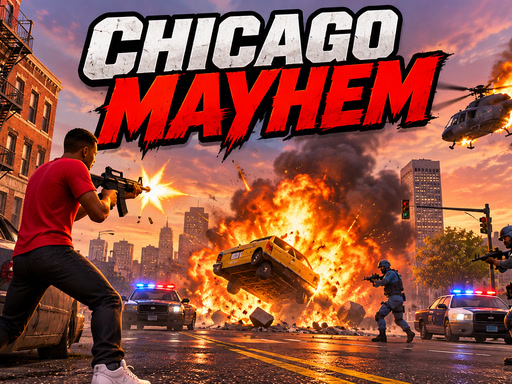
About CHICAGO MAYHEM
People in the city can start a fight without waiting for you
Chicago Mayhem is a third-person action game where rival gangs, armed bots and police have their own encounters in the streets. A confrontation can begin somewhere in view even when your character has just arrived. Early in the run, watch the street for a moment and work out which characters are interacting with each other. That is useful before making an input that will change your wanted level or take your attention away from where you entered the area.
The game score and wanted level are connected. Kills increase the level, and police responses rise from patrol cars toward roadblocks and a helicopter. Pay attention to the change when it appears. The same street can offer a completely different amount of space once several groups arrive. There is a bounty to watch on the scoreboard, and keeping track of the state of the city helps you understand how that number is changing on a run.
Look at the screen as an arcade simulation
Your character starts with a pistol. When another in-game weapon becomes available, the pickup changes what you can use from then on. The selection includes small rapid-fire weapons, shotguns, rifles and longer-range tools. Try a new option in a stretch where you can see the result in the game. If you are still working out where the weapon wheel sits, learn the switch first. The time to understand which number selects which slot is before the screen is full of new vehicles and characters.
Use the interface to keep a distinction between the selected weapon, the action you have ready, and the direction the camera is facing. The G wheel shows choices, and the number keys can switch the selection. X holsters. A short stop in which you practice switching and returning to the regular view can keep the next change from happening while the game is also asking you to look at an objective or another group of bots.
What changes when you take over a vehicle
In the game’s urban sandbox, approach a vehicle until the in-game entry action is available. Press E to switch from the character to the vehicle. Take a moment to identify the new view and the displayed controls before moving. The on-foot inputs and vehicle inputs should be read separately. W and S now serve the vehicle’s forward and braking or reverse action. Use the surrounding road in the new camera to decide which direction the car is facing. On exiting, read the view again before trying to move the character from the place you stopped.
Compare the pursuit stages in the scene. At an early wanted level you may see patrol cars. Later responses can include roadblocks or a helicopter according to the game’s progression. Open the scoreboard with Tab when you have a chance to read it and compare what the display says with the type of pursuit actually on screen. Entering a car is one change to the interface. Reaching a new pursuit stage is another. Use a quiet first drive to see the control change, then use a later run to recognize the appearance of the next response. That makes the guide about what the arcade simulation shows as it escalates.
A daytime run and a nighttime run give you different things to see
Time passes from day to night and rain changes the view. Try recognizing a familiar intersection in both conditions. At night an incoming vehicle or another figure can be easier to notice from one angle than another. Changing the camera from one clear place tells you whether the scene has more room than the first view suggested. The city is active even without a set route through it, so weather and traffic can give a repeat attempt new conditions.
Use Tab to look at the score during a quiet moment. Think about how long it took the wanted level to rise and what happened when it did. Another run can be about seeing a weapon you haven’t used or finding a different part of the city. A run with the same score can still show you how a different set of bots changed the game around you.
Desktop controls
WASD moves and the mouse changes the view. Left click uses the selected weapon and right click aims. Shift sprints, Space jumps, C crouches and R reloads. E handles pickups and cars, G opens the weapon wheel, 1–7 changes slots, X holsters and holding F uses the grenade input. Tab shows the scoreboard. Esc pauses.
Game credit on GameMonetize · baovu2052005











