About How to Rob a Bank
A three-act arcade scene
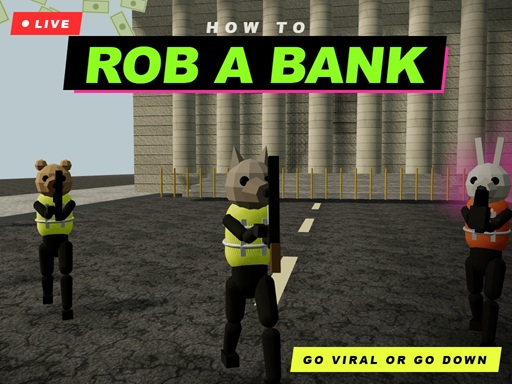
How to Rob a Bank stages a fictional, movie-inspired heist from the point of view of the Wolf, a character in a crew of four animal masks. The other characters are Bear, Rabbit and Raccoon. Each chapter changes what the game rewards. The Breach has objectives in the banking hall. The Stream is built around four waves. The Getaway puts you behind the wheel for a chase of 3,200 metres. The change of controls at the end is as much an arcade surprise as the cut from one scene to the next.
The name and the setup refer to a movie, while the actions covered here are the mechanics displayed in the game. The useful thing to know up front is that each scene has a condition for progress. Check the current objective on the screen when you make a transition so you can see which action belongs to the scene you are in.
The Breach and its three terminals
The opening scene uses the on-screen objectives to lead you from the hall to the vault section. Cameras and three terminals are part of that checklist. Find the next marker before sprinting into the area. The E interaction is the input for terminals and bags. In the first clear stretch, try moving the view and then moving the character. Notice how the camera angle changes the location of the marker on your screen. It makes it easier to orient yourself after an objective moves the action to another place.
Do a quick check when the third terminal is complete. Look at what the game shows as required before leaving for the next scene. This keeps you from taking the next cue as a reason to replay actions you have already checked off. If you have missed part of the sequence, the objective is a better guide than guessing which object you need to revisit.
The Stream puts the attention on the hype meter
The four waves give the second scene a different rhythm. Watch the game’s style or hype meter as you work through it. Raising it can provide items such as armor and health and a chance to use bullet time. Decide when you want to use that slow-motion input. It can be helpful while you are learning how the game switches between moving and aiming. Use Q and observe how long you have the altered pace to make an in-game decision.
Between waves, let the interface show you what survived the previous one. Look at whether health or armor changed, whether you still have to reload and how far the current wave counter has gone. Those are different things to check from which part of the room you can see. Doing the input check when the pace allows it leaves more room for reading the next wave’s entrances as the game brings characters in from the ceiling.
If a scene ends before you reach the final wave, work out which part of the interface you did not read quickly. A missed prompt calls for keeping the relevant screen area in view. An accidental interaction calls for learning where E and R are without taking your eyes off the center every time. You can make the inputs more comfortable without trying to carry every idea into the first repeat.
The Getaway is a driving challenge
The last scene drops the movement scheme used inside the building and gives you the shorter chase controls. Use A/D to steer, W to accelerate and hold Space to drift. Look at how the road bends after the corner rather than turning from the position of the nearest rival car. Set up a line you can hold through the turn and come out ready for the next one. The distance goal means that several controlled corners are useful even if they look less dramatic individually.
Watch the distance counter as you get used to the car. If you lose the chase around the same bend, decide whether you are holding the drift too long or asking for the next direction before the first slide has finished. On a replay, vary a single corner and keep an eye on how it changes the speed at the next stretch. The driving sequence is short enough to make that kind of comparison without having to learn a full racing career.
Read the control prompt when the chapter switches
| Chapter | What the arcade interface asks you to watch | What changes in your hands |
|---|---|---|
| The Breach | The chapter objective and three-terminal progress. | Use character movement and the in-game interact action at the displayed prompts. |
| The Stream | Wave progress and the hype meter. | You still move the character. Keep the current wave and meter in view as the task changes. |
| The Getaway | Distance covered in the driving sequence. | The game switches to steering, acceleration and the drift button. |
After the first change of scene, wait long enough to see which status display replaces or changes the previous one. It tells you what the new segment is judging. At the next change, try one short steering correction to learn what the car does before holding the drift input. The 3,200-metre driving sequence has its own progress goal. A successful approach in the previous room tells you little about how the next corner will feel. Use the chapter prompts to choose which meter or action matters for the rest of the scene.
Desktop reference for the indoor scenes
- WASD moves and the mouse aims. Hold left click to use the weapon.
- E handles terminals and bags. R reloads.
- Shift sprints, Space jumps and Q triggers bullet time.
On touch, use the left stick and action prompts. The buttons change function when you switch to the car. When a new scene starts, check that you are using the controls for that view before making another input.
Game credit on GameMonetize · MathGamesAreCool.com











