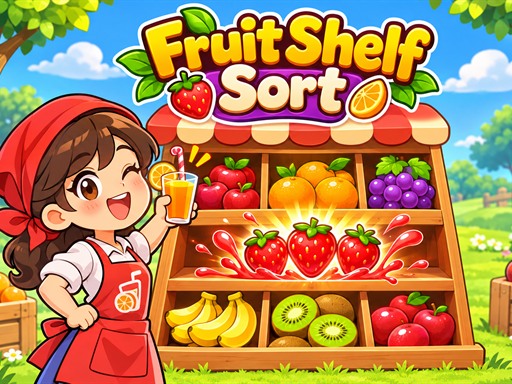
About Fruit Shelf Sort
You have a wooden shelf with three bananas in front and an unknown row behind them. Clearing those three bananas in Fruit Shelf Sort does more than collect a group. It gives you access to a different set of fruit, which may hold the match you need for another shelf. This is why looking through the rows with the fruit you need in mind works better than grabbing the first movable piece near the center of the screen.
Think of empty shelf space as something you can use
Pick a shelf where two identical fruit are already together. Scan other shelves for a visible third. If you can move it across and clear that group, you open space for another transfer. You also know whether you have helped uncover a back row. A move that leaves fruit scattered can make the next relocation harder even if it brings a second piece close to its match. Give yourself a destination you can use again before pulling apart a group you were already building.
This comes up when you can make two matches in different places. One may clear a front shelf that hides more fruit. The other may collect a group while leaving the overall layout essentially as difficult to read. Try the move that reveals information first and look at the new row. You may find the fruit you were about to spend two moves assembling. If the rows are both open, consider which match creates the space for the next one.
Crates, mystery shelves and moving rows
A locked crate needs matches before it opens. When that obstacle is part of your board, count accessible groups before spending moves on fruit with no visible partner. Mystery shelves make you work with an incomplete picture. Clear the part you understand and take a good look at what the change reveals. A sliding row is a reason to check the destination again after the last move instead of assuming a piece is still where you first saw it.
Four chapters introduce these changes across 40 levels. New fruits join the selection along the way, up to 36 types including durian and mangosteen. Pay attention to shapes you can recognize quickly when a new one first appears. On a future timed board, checking for that shape will feel easier if you already know how it differs from the fruit around it.
Clear the front row that hides the next fruit
Imagine a front shelf with two matching apples and another apple you can move in from the side. Behind that row is a fruit you cannot reach yet. Complete the three apples and see what the empty shelf exposes before you fill it again. If a pear becomes reachable below, compare it with the partial pear group on another shelf. Moving the first pear into the new space may block the fruit you want behind the next row. Completing the other pear group could clear a second front before you need to use the new space.
| What the shelf shows | Booster worth checking | What to look for afterward |
|---|---|---|
| Almost-complete group with no clear move | Match | See which match the booster can help resolve and what it exposes. |
| Open shelves that contain awkwardly scattered fruit | Shuffle | Read the new front row before moving the first fruit. |
| A plan you can execute with more time | +30 seconds | Finish the clear you already identified. |
Locked crates use matches to move their requirement forward. Mystery shelves keep part of the arrangement unseen, while later rows can slide sideways. Recheck which shelf is in front after a clear. A booster is useful when it answers the exact thing preventing the next move.
Work toward the juice bar one shelf at a time
Mia’s cart is part of the story running through the puzzle. As levels increase the variety of fruit and shelf layouts, up to three stars on a board give you a reason to return and see whether you can use fewer transfers or keep matches coming more steadily. Choose a shelf you can open early on your next replay. Look at how much easier it is to find the final few pieces if you have revealed more of the layout before the timer gets low.
Drag a fruit to another shelf, or click it and then choose its destination. Press P or Esc to pause. Look at the intended shelf before moving a fruit, especially when two destinations sit close together.
Game credit on GameMonetize · baovu2052005











