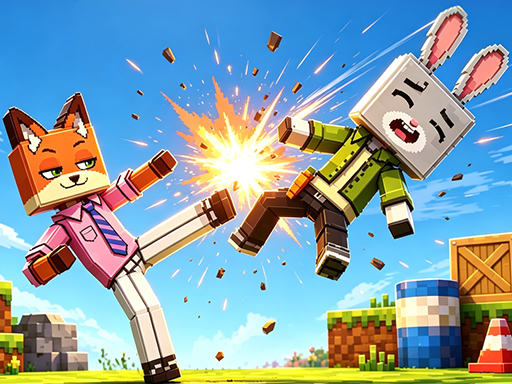
About Melon Craft Ragdoll
A Sandbox for Building Physical Experiments
Melon Craft Ragdoll is not organized around a fixed campaign or a single winning condition. It provides a pixel-styled 3D space where players place ragdoll characters, blocks, props, and interactive objects, then observe how the setup reacts through physics. The result can be a test course, a balancing experiment, a chain reaction, or simply a chaotic scene.
Start with One Question
An empty sandbox can feel directionless, so begin with a clear experiment. Can a bridge support several ragdolls? What happens when stacked blocks lose the bottom support? Can two ramps guide an object toward the same target? A simple question makes the building process easier to evaluate.
Placing Objects Carefully
Tap or click to select and place an item, then drag where the interface allows. Build the static structure before adding characters. If every object is active while the base is unfinished, small collisions can destroy the scene before it is ready.
Using Ragdolls
Ragdolls respond to forces rather than playing a fixed animation. Their joints can fold, catch on edges, or transfer momentum into another object. Position a character with enough space around it if you want to study the reaction clearly. For a crowd scene, add participants gradually so you can identify which object caused an unexpected result.
Designing a Chain Reaction
- Place the final target first.
- Build backward through ramps, blocks, or moving props.
- Test each connection separately.
- Add the trigger only after the full route is stable.
- Change one object at a time when the reaction fails.
Controls
The game uses tap, click, and drag interactions. Available placement or editing buttons depend on the selected sandbox item. Touch controls follow the same direct-manipulation approach as the mouse.
Try the same fall from two resting positions
Start a fresh area of the sandbox with a low block on the grid and one ragdoll. Keep all other objects away so you can see where the character lands. Place the ragdoll as close to the middle of the block as the controls allow and let the simulation settle, or start it with the game’s control if the objects are held while editing. Watch which part makes contact first. Place the same character a little closer to one edge and make a second trial with the same block. If feet, hips or arms hang past the edge, the first contact may be in a different place and the body can fold around the corner as it falls. Compare the last position after it stops moving. The difference tells you more about how those joints and contact points behave than filling the screen with new props.
If the placement controls allow changing the starting angle, run a separate test. Keep the ragdoll just as close to the edge and change its orientation. See whether a different limb touches the block before the body tips. If placement prevents using the same pose twice, mark a nearby grid square and match the starting position as closely as you can. You only need one change you can recognize to tell whether the result came from the block or the starting position.
Use the result to build one useful link
Put another low prop where the character actually landed, rather than where you imagined it would fall. Try the lower or more stable starting position first. If the second prop fails to move, watch whether the body touches it or stops short. Shift the prop toward the actual landing area, run the same setup again and check that one connection before adding ramps. If the character catches on the original block, return to the single-prop test. You can use the grid to remember enough of the setup to rebuild it without needing a campaign objective. A tiny experiment can then become the first part of a longer chain you understand.
Game credit on GameMonetize · bestgames.com











