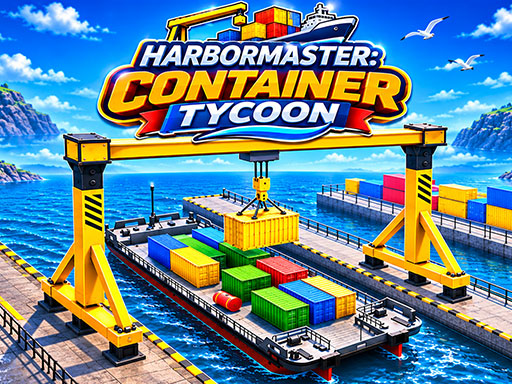
About Harbor Master Container Tycoon
The box has to reach the right place
Follow one container from a ship in Harbor Master Container Tycoon. The crane removes it from the deck, but that’s only the first task. Someone has to move the container away from the unloading area, find space for it in the yard and get it to the place where the current job needs it. A crane that finishes early is useful if the rest of the path stays open. If unloaded boxes are starting to occupy the same small strip, your next choice probably belongs on land.
**On the ship.** Decide which job you’re doing before choosing the first container. Take a moment to see where the lifting equipment can place it, and whether an industrial vehicle can reach that spot after you lower it. It is easier to line up the next move while you can see the box and its receiving area together. A lift to the closest available space may leave more work on the way to the yard. Learn the route to the next useful space on a lighter job, when a correction will not tie up a busy area.
**At the transfer point.** Once the container comes down, get a feel for how much open ground a vehicle needs to collect or carry it. Watch the approach you would use for the next box. If that approach is now blocked, clear the area before unloading another container onto it. The transfer between crane and vehicle is a useful place to look for delays: there may be equipment ready on both sides while a container in the middle keeps either one from doing the next job.
**In the yard.** Leave an approach for whatever will carry the box out next. Compare the route through a densely used corner with an open spot you can reach without steering around another stack. The first location may be closer to the ship, but the time spent driving around it matters just as much as the lift. On a loading job, start with the designated place for the box on the ship and work backwards. That plan helps you choose a sequence for bringing containers to the crane without putting the wrong box at the front.
After one change, follow another box
Say the dock has enough room but containers are waiting for a crane. A machinery improvement has a clear job there. Complete one more delivery after the upgrade and see where the first wait occurs. It might now be at the yard entrance or along the route your industrial vehicle is using. Widening your operation only helps that trip if it makes the next container easier to place or gives a busy part of the harbor enough space to keep working.
If you have space open for a new area while the existing yard is still crowded, look at the route between the two. You may be able to assign the expansion to a job that creates a regular stream of containers, leaving the first section open for the work you already understand. Unlock or upgrade one part at a time so you can see what changes. The port missions are worth reading before a purchase, because unloading a ship, transporting a container and getting a loading job right ask for different things from your fleet.
Get to know the machinery from outside the tight spots
Use the movement prompts or virtual joystick as appropriate, and check the controls shown when you take over a particular vehicle or machine. Practice making a turn with space on both sides before bringing a heavy vehicle into a row of containers. Learn which movement places the cargo and which changes your view or direction. On an upgrade screen or marked purchase area, check the facility or equipment associated with the option before spending. The best reason to buy something is still a wait you were able to see during a delivery. When the new setup works, you should be able to follow a box to its destination and point to the part of the trip that became easier.
Game credit on GameMonetize · MGS Studio











