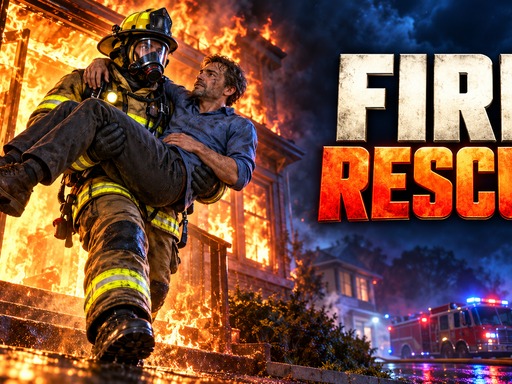
About Fire Rescue
At the Harbor County station in Fire Rescue, Engine 1 is the way to reach a call. Your work continues after you park. Take the hose into position, fight the fire, search the rooms and carry civilians out. Funding earned from the work goes back into the station, where it can improve the equipment or add crew for future calls. It helps to keep an incident and the station decisions that follow it separate in your head.
Check the assignment from the scene
Open the incident tablet with Tab when you need to see what the call asks for. Before picking an action, look at the way from the truck to the part of the building you need. Then connect the hose. Practice turning with the hose in a clear area on an early call. Hold the left mouse button to spray and use the mouse wheel to change flow. Give yourself time to see how a change in flow feels before making a second change.
The game asks you to search as well as spray. If a room is part of the assignment, work out whether it is one you have already checked. A door or hallway is a good landmark for remembering the order in which you entered the rooms. You can lose time trying the same door twice if all you remember from the last minute is that you dealt with part of the fire. Give the parts of the task a simple mental order as you go.
Moving through rooms in the game
When the next thing you need is behind a door
Use F to open doors and E to interact with other objects. Learn the difference on an ordinary doorway so it is familiar when you are looking for a civilian. Keep the view pointed toward the part of the room you need to see as you go through. If you run right past the entrance to another area, you will have to turn back while still working out where you already searched.
When you have found a civilian
Carry the civilian back to safety and take a moment to see which part of the job remains. Think about the door or corner you used to reach them. Coming back through a route you know can make it easier to return to the area you were working in after the rescue. Each time you move between rescue and fire control, look at the assignment again if you need to reset your priorities.
When you are changing how you move
Use Shift to sprint and Ctrl to crouch in the game. Get used to each option in a place where you can see where it takes you. Sprinting can get you through an open stretch quickly, while a slower approach at a doorway can give you the view you need to see which part of the building comes next. Use mouse look to keep track of the space around the route you decided to take.
Follow an incident tablet assignment in order
After Engine 1 arrives at an early room-search job, open the incident tablet with Tab. Read whether the active call expects you to clear a fire, find civilians or do both. Connect the hose using the in-game interaction at the engine. F opens doors and the left mouse button sprays water. Adjust the flow with the mouse wheel. Watch whether the game registers the area you are spraying as clear before moving away from it. If the tablet still lists a civilian, locate the door between that room and the route back outside.
Use the pickup prompt when you find the civilian. Follow the way out and check that the game marks the civilian as safe. Read Tab again before returning to the truck. At the station, put funding into something that addresses the part of the assignment that took most of the call. Gear can matter after a difficult fire. Extra crew or another station improvement can make sense if separate assignments were left waiting. Repeat a familiar call after changing one thing to see which objective now records completion sooner.
Switch between the incident and the station
WASD moves and the mouse looks around. E interacts, F opens doors and the left mouse button sprays water. The mouse wheel changes the hose flow. Tab opens the incident tablet and T the station. Esc pauses. Mobile play uses on-screen controls. The emergency procedures here describe the actions in the simulation.
Game credit on GameMonetize · splitch studio