About DunkIt
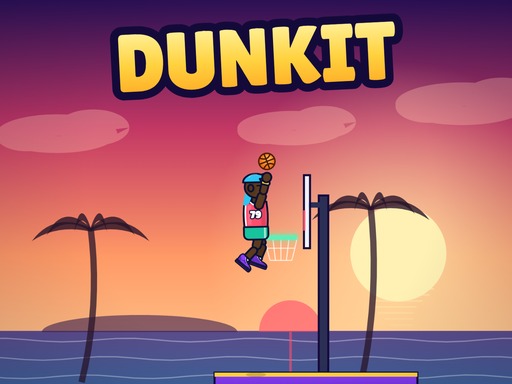
On a trampoline level in DunkIt, the camera may show a ball, the rim and a very tempting place to start turning. Find the center of the trampoline first. A clean bounce gives you a chance to choose the rest of the move. If you come down on the far edge, you can spend the entire flight trying to fix the approach. On a stunt attempt, treat the takeoff, the catch and the finish as separate moments. A good first bounce gives you time to see all three.
Start with a plain dunk on a bounce you recognize
Try lining up so the bounce carries you toward the ball instead of straight toward the rim. Watch where the ball is moving relative to the player as you rise. Use J to grab when it is comfortably within reach. The rest of the move is easier to judge once you can see the ball with the character. If you are still turning as you reach the rim, use small taps to put the body into a useful position, then commit to the dunk. Holding the rotation too long can turn a good approach into one where you reach the rim facing away from the shot you meant to make.
Now move the first landing closer to the edge of the trampoline and compare the result. If the new bounce sends you past the ball, you have a reason to adjust where the jump begins. If the bounce gets you to the ball but you fail near the rim, leave the takeoff alone and work on the timing after the grab. On a moving-ball stage, watch one pass of the ball before taking the jump. Choose a moment that brings it within reach while you still have time to finish. Watching the ball arrive and then starting a long jump may put you at the right position one beat late.
Add a trick only after you see the flight it needs
The 35 stunt levels include moves such as the Tomahawk, Superman and Backwards Dunk. Read the requirements for the current stunt and try a flight long enough for the body position it needs. A backwards finish, for example, gives you a reason to start adjusting rotation when there is still space before the rim. Tuck with S when that helps you control the movement you are practicing. Look for the last point where you can see the ball, the body and the rim together. From there, decide whether a final small adjustment fits. If your score attempt keeps ending with a missed grab, practice the same trick from a position that lets you secure the ball first.
Change goals when you change modes
- Solo stunt. Find the bounce that permits the required grab and finish. Watch the obstacles before starting, and reset with R when you want to try the same launch again.
- Full-court 2D one-on-one. Account for the opposing AI before using a movement that leaves you airborne for a long time. Make a direct attempt when the lane is open and practice returning to position after it.
- Half-court 3D matches. You can play from one-on-one up to three-on-three. Look at the position of other players around the basket before moving. In a crowded half court, use the available space to get the ball and give yourself a clear finish.
Rotate with A and D, tuck with S, and jump with Space or W in stunt play. The J action handles the grab or the shot and dunk as appropriate. In matches use WASD or the arrow keys to move and check the mode’s onscreen prompts for the other actions. Test the jump from the same spot a few times. When the height is similar each time, change your rotation rather than starting from a different place. Later, when a stunt involves a moving ball and a more complicated bounce, this narrower practice will help you see which part of the flight is responsible for a miss.
Game credit on GameMonetize · Alfonso Mata Bajo