About Deadpack
A backpack is a battle decision made before the battle
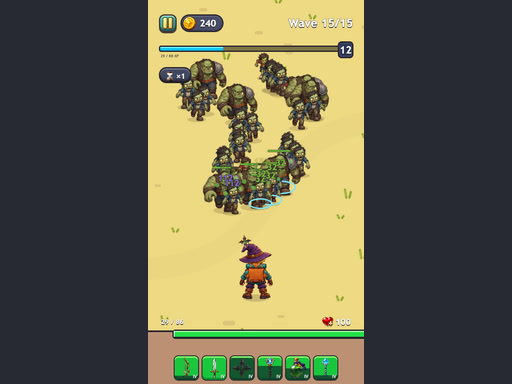
Deadpack prepares its fights in a limited inventory. The hero attacks automatically while waves of monsters come in. You choose the equipment the hero has access to, how you use the room in the bag and whether two matching pieces are worth merging. Swords, bows, shurikens and magic give the loadout several directions to take. A good pack is easier to understand when every item you keep there is something you can point to a reason for carrying.
Empty space is an option for the next item
Look at the equipment already in the bag before moving a new weapon from the reserve. Identify how much room it would need. Clear enough space to fit it sensibly and see what you would leave behind for the next wave. If you move a piece, take a second look at what you expect the hero to do with the updated setup. Do you still have the approach that worked well in the last fight? Has the new item changed which weapons attack or how much room you have for another piece?
You can drag gear between the reserve and backpack. Items of the same type and rank merge when you drag one onto the other. Check both labels before trying. Two pieces may look related and still belong to different ranks. A merge strengthens the result and changes the packing problem. After you make it, take a fresh look at the space the two items occupied. The gain is an opportunity to fit another piece that gives the hero a different option.
One merge, one free slot and a reason to keep it
| When you inspect the pack | What to check | Next decision |
|---|---|---|
| Before merging | The two items have the same type and rank. Note which cells both pieces occupy and what they are contributing. | Keep both if the separate weapons are doing a job you still need this wave. |
| After dragging one onto the other | Confirm the new item and look at which cells remain free around it. | Check whether you can use that new space with a shape already in reserve. |
| Before the next wave | Review the merged item and the rest of the equipped pack together. | Use the freed area for a missing role or keep it open until a useful item appears. |
For example, when two equal-rank weapons compete for space, merge them at the point where the second copy fits on top of the first. Look for the result’s new footprint. If the upgraded piece frees usable cells beside your ranged gear, compare one reserve weapon’s shape with that opening. A visually empty corner is only a usable slot if the piece fits. Try moving the selected item with the arrow keys when the game allows, or reposition the item by dragging before committing to the fight. Compare the whole loadout to the one you had before the merge. A stronger item can still leave a gap in the pack’s coverage if it replaced two independent attacks.
Compare an early crowd and a late target
On an ordinary crowd wave, keep a way to handle enemies across the area your hero is already covering. If groups keep closing before the next attack, use that result to decide whether a new support or more frequent attack will help. On a late wave or a boss, check whether that same loadout still reaches the one target you spend most of the fight facing. A merge can set aside space for a weapon that serves that job instead of packing another copy suited to the crowd. Test one change between waves where preparation is available. The hero attacks automatically once fighting starts, so the useful comparison begins at the backpack, not with a new control during the fight.
Fifteen waves make the beginning and end of an act feel different
There are eight acts, each with 15 waves and bosses to deal with. As the hero levels, choose skills based on what you are seeing in the fight. If the first half of an act works well but monsters start to overwhelm the setup later, look at where they do it. Then see whether a different weapon mix or skill can address that situation. An early wave can tell you whether the hero has a useful set of attacks. A later one can tell you whether that choice still works when the enemies give you less time.
Look at your last fight before spending the gold it produced. If one effective part of the pack has reached its limit because everything else blocks it, expanding the backpack may give you more freedom to rebuild. If there is already space but the items carried into the fight lack strength, evaluate the available upgrades. Packing and buying are related but they answer two different questions. Use the gold to improve the part you actually saw fail.
Move between the reserve and the fight deliberately
With a mouse or touch, select items and use the on-screen buttons. Drag a piece to move it or put it on top of a matching one to merge. You can select a reserve item and choose Equip, and the keyboard arrows can move the selected item around. Once the hero goes into the wave, watch what the weapons do without your input. The time to respond to what you see is the next packing decision, when you can give that observation a place in the bag.
Developer hvadym1.