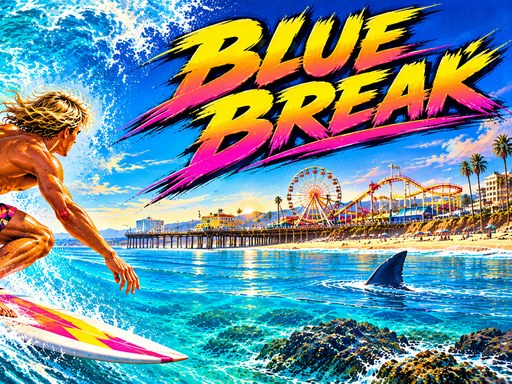
About Blue Break
When you stand up, the wave is already moving
Blue Break begins from the surfer’s view. You paddle out, rise onto the board and ride as the wave breaks behind you. Swimmers, other surfers and obstacles use the same view you need for deciding where to go. The great white shark is also present on every level. Start each ride by locating a strip of open water you can use now and the next one beyond it. The nearer gap gives you a move to make. The farther one decides whether that move sets you up for another.
On a mouse, steering follows the pointer. Hold a click toward a farther point to speed up, and bring the mouse toward the bottom to slow. On a phone, touch left or right to carve, hold a distant point for speed and touch the bottom center to brake. Try steering and accelerating separately on a stretch where you can see the effect. They can feel like one movement if you first try them while avoiding somebody directly in front of you.
Look beyond the shoulders of the next surfer
Suppose another rider takes up the left side of a gap, and a swimmer is visible beyond them. Give the farther swimmer a little attention before choosing which way around the rider to go. If the first gap sends you toward the swimmer, see whether the other side gives you more room to finish the movement. A wider carve at the right point can put you in position for a smaller one later. The ride looks fast because the scene approaches from your point of view, and having an idea of the second gap can make the first one feel less abrupt.
The wave keeps breaking behind the board. Avoid spending the whole ride looking at something you have already passed. Use that part of the view only long enough to see what it changes about the line ahead. Then return to the open strip you were going to follow. If you use the brake when needed for a tight gap, decide what direction you want to take after it. Getting through at a useful angle gives you a place to regain speed instead of making the next correction at the same time.
Pass one swimmer with mouse, then with touch
Choose the clear side of the swimmer before speeding up. Look for where the gap leads after you have passed, then compare these inputs on the same kind of stretch.
| What the pass needs | Mouse input | Touch input |
|---|---|---|
| Carve to the open side | Steer the mouse toward the clear water. | Touch the left or right side to carve. |
| Pick up speed beyond the swimmer | Hold a click toward a farther point in the open water. | Hold a farther point once the way ahead is visible. |
| Slow before a tight gap | Move the mouse toward the bottom of the screen. | Touch bottom center to brake. |
Start slowly enough to check where the board will be when the swimmer leaves the view. Use the faster input once you can see a clear way through the space beyond them. If the ride still crosses toward the swimmer, review when your first steer began before trying to use more speed.
Watch the water on that side again once the swimmer has moved out of the view. The shark can still be on the same ride. When it becomes visible, follow its movement relative to the board before deciding which side actually stays open. A patch of water that looked clear before the pass can be used by a moving threat after it. Leave a way to carve again without putting the board back toward the same swimmer. On a repeat, practice one controls layout for the near pass, then pay attention to the shark’s direction and the next part of the wave rather than treating the space behind the swimmer as the end of the problem.
A brief routine for a new ride
Paddle out and look at the take-off line. After you pop up, keep the next moving obstacle at the side of your view and look for the opening beyond it. Change speed only after deciding how long it will be before you need to change direction again. If a run ends after a close pass, remember which object had been hidden beyond the first one. On the next attempt, scan for that kind of second obstacle before committing to the carve.
The game runs in a desktop or mobile browser. Give the first-person view a few rides before judging the speed of its turns. A smooth run is a series of usable lines on the wave while everything else moves around them.
Game credit on GameMonetize · Oceanside Software